
Compile Recipes transform your manuscript into distribution-ready books, print PDFs, clean Markdown archives, or publish directly to web CMS platforms.
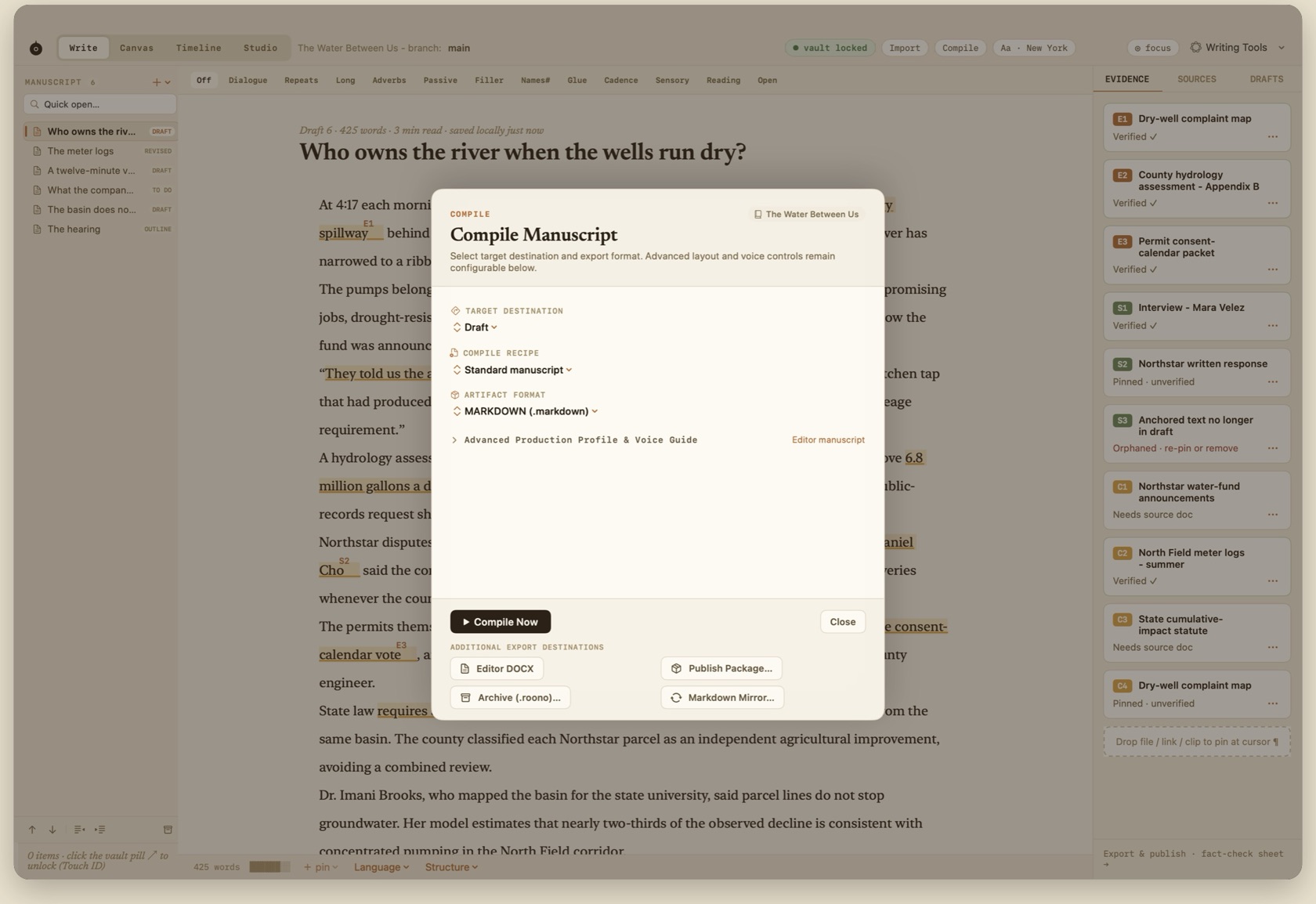
Supported Output Formats
Compile (⌘⌥E) opens a sheet for scope, edition, and output. Recipes cover the editor copy, ebook, print, large print, web, fact-check, and archive editions.
Formats are Markdown, plain text, DOCX, PDF, HTML, and EPUB. A DOCX round trip with tracked changes comes back as a reviewable branch. It does not overwrite main.
- ⌘⌥E
- Compile. Also the way to Markdown, annotated copy, and a project archive.
- Annotated editor copy
- Pins render as footnotes for the desk.
- Preflight
- Retailer checks for the selected target, run before compile. They are Roono's checks, not the store's converter.
- Gate row
- Stays in the warning state while any pin is unresolved. Publish is disabled until that row clears.
- .roono archive
- Portable handoff of the project without the Vault.
- Markdown mirror
- Output-only files in a folder you choose. The live library is never placed in a sync folder.
Retailer Preflight (KDP & EPUB)
Roono performs automated preflight checks tailored for Amazon KDP, IngramSpark, and Apple Books, validating metadata, chapter breaks, and image resolutions before export. Compile is ⌘⌥E, and it still passes through the fact-check gate.
Publishing to CMS Destinations
The same manuscript can publish to WordPress, Ghost, Substack, or a generic CMS API. An annotated editor copy renders pins as footnotes for the desk. Unresolved pins block the destination the same way they block EPUB and PDF.
Output-Only Markdown Mirror
You can configure an output-only Markdown mirror folder (e.g. in Dropbox or iCloud Drive). Roono writes updated text files for external backup without putting the live database into cloud sync.