
The PinEngine connects facts, exhibits, and sources directly to manuscript text ranges. Pins survive prose rewriting and power the fact-checking gate.
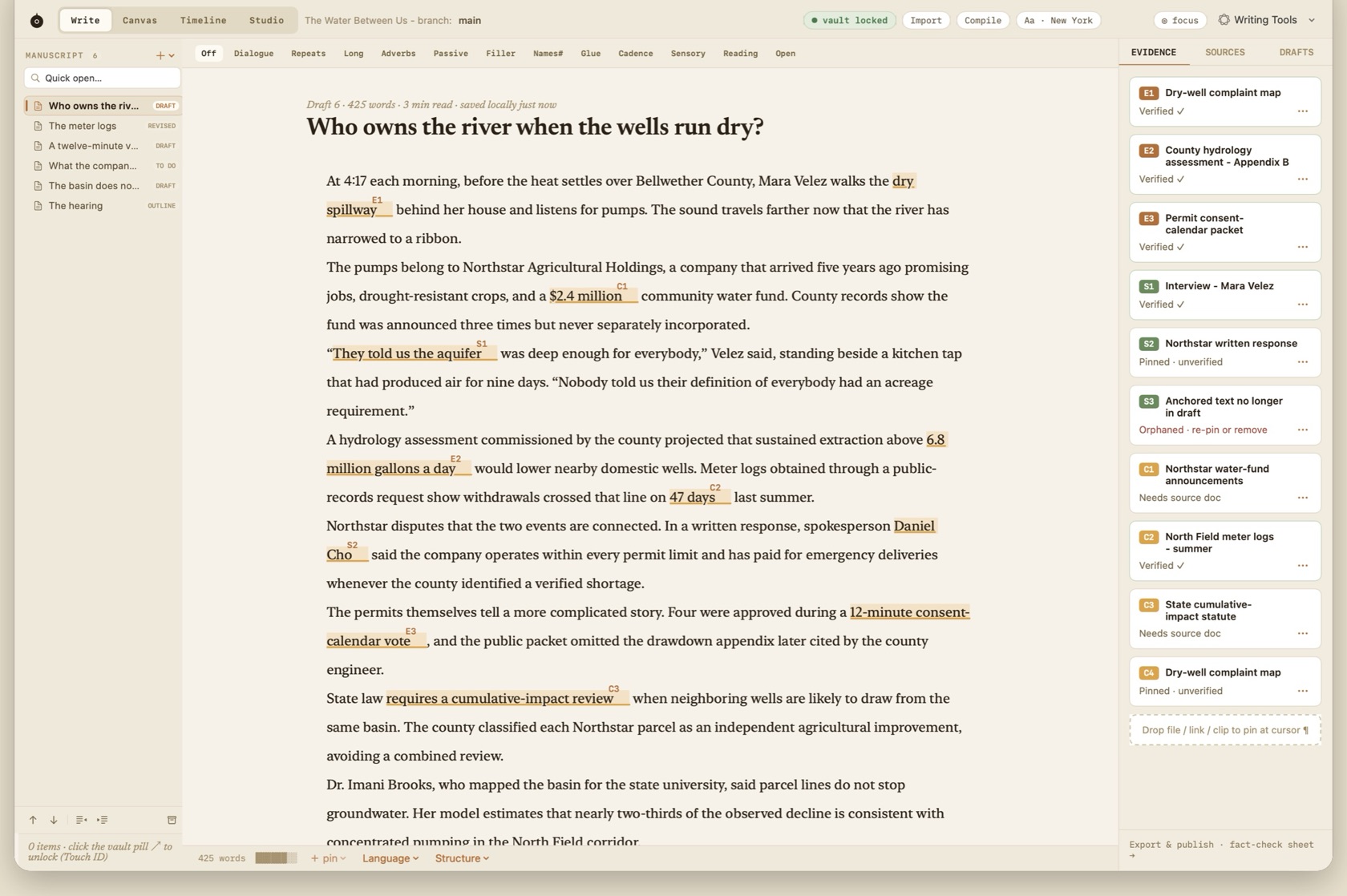
Pins in the sentence, and the same pins as cards in the evidence rail.
Badge Classes: [E], [S], [C]
Pins are categorized into three distinct badge classes, each with its own visual token and verification workflow:
- [E] Exhibit Badge (Terracotta #b0703c)
- Attaches a primary document, contract, PDF, or photo exhibit directly to the selected sentence.
- [S] Source Badge (Green #6b8a5e)
- Attaches a named or confidential interview source, contact record, or audio timestamp.
- [C] Claim Badge (Gold #d9a44b)
- Flags a factual assertion that requires independent corroboration before publication.
Creating & Attaching Pins
Select any span of text and choose Insert or Document → Pin Selection, then As Exhibit, As Source, or As Claim Needing Support. You can also drag a file from Finder, a clip from Canvas, or an interview quote from Studio onto the selection. Compile is a different command: ⌘⌥E.
Anchor Survival Across Edits
Unlike standard word processor footnotes, Roono's PinEngine uses robust character offset remapping. Even when surrounding text is deleted, refactored, or pasted, the pin remains bound to its target passage.