
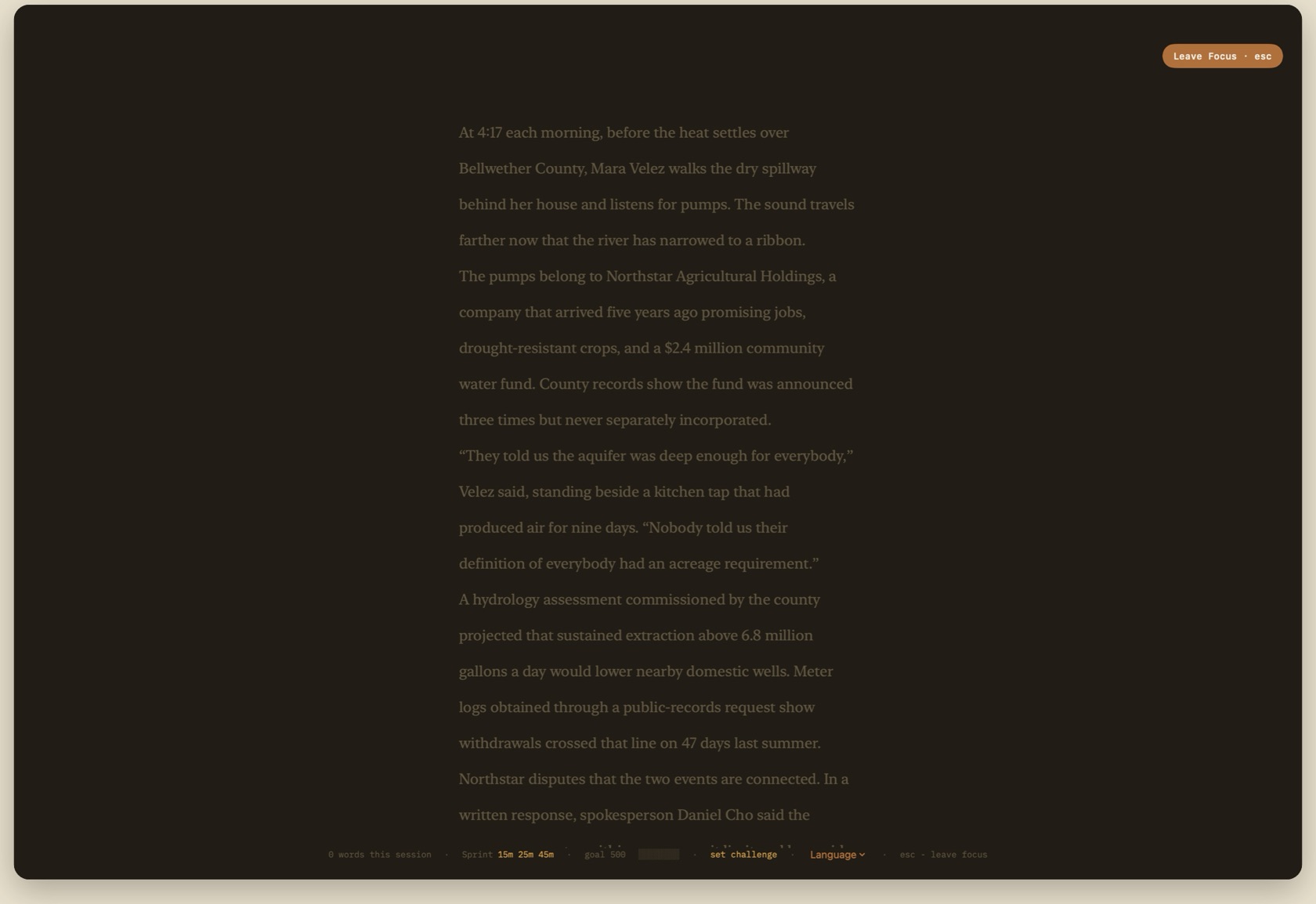
Focus Mode (esc-esc or ◎ in the toolbar) folds away all window chrome, dimming surrounding text so you can inhabit the current paragraph without distraction.
Entering & Leaving Focus
Double-tap Escape, press ⌘\, or click ◎. Chrome folds away. The paper becomes Night #211c15. Pins stay attached and stay hidden.
Escape leaves Focus. A Reset pause can appear first: a short Night hold, dismissible by any key or click, off until you enable it in Editor settings.
- esc-esc
- Enter Focus Mode.
- ⌘\
- Toggle Focus Mode from the menu.
- esc
- Leave Focus Mode.
- Session strip
- Mono line at the bottom: words this session, the quiet goal, and the exit hint. No streak.
- Mark
- Optional courage note when a writing session ends. Save or skip. It is not a score.
Active Paragraph Highlighting
In Focus Mode, only the paragraph currently containing your caret is illuminated at full brightness (#f0e6cd). Surrounding paragraphs are softly dimmed (#5f553f), keeping your attention pinned to the sentence being written.
The Session Word Strip
A restrained mono strip at the base of the window displays your quiet session count: '642 words · goal 800 ▓▓▓▓▓▓░░ · esc - leave focus'.