 Writing Library
Roono
A writing desk for reported work. The manuscript, its evidence, and every draft stay together on paper you can trust.
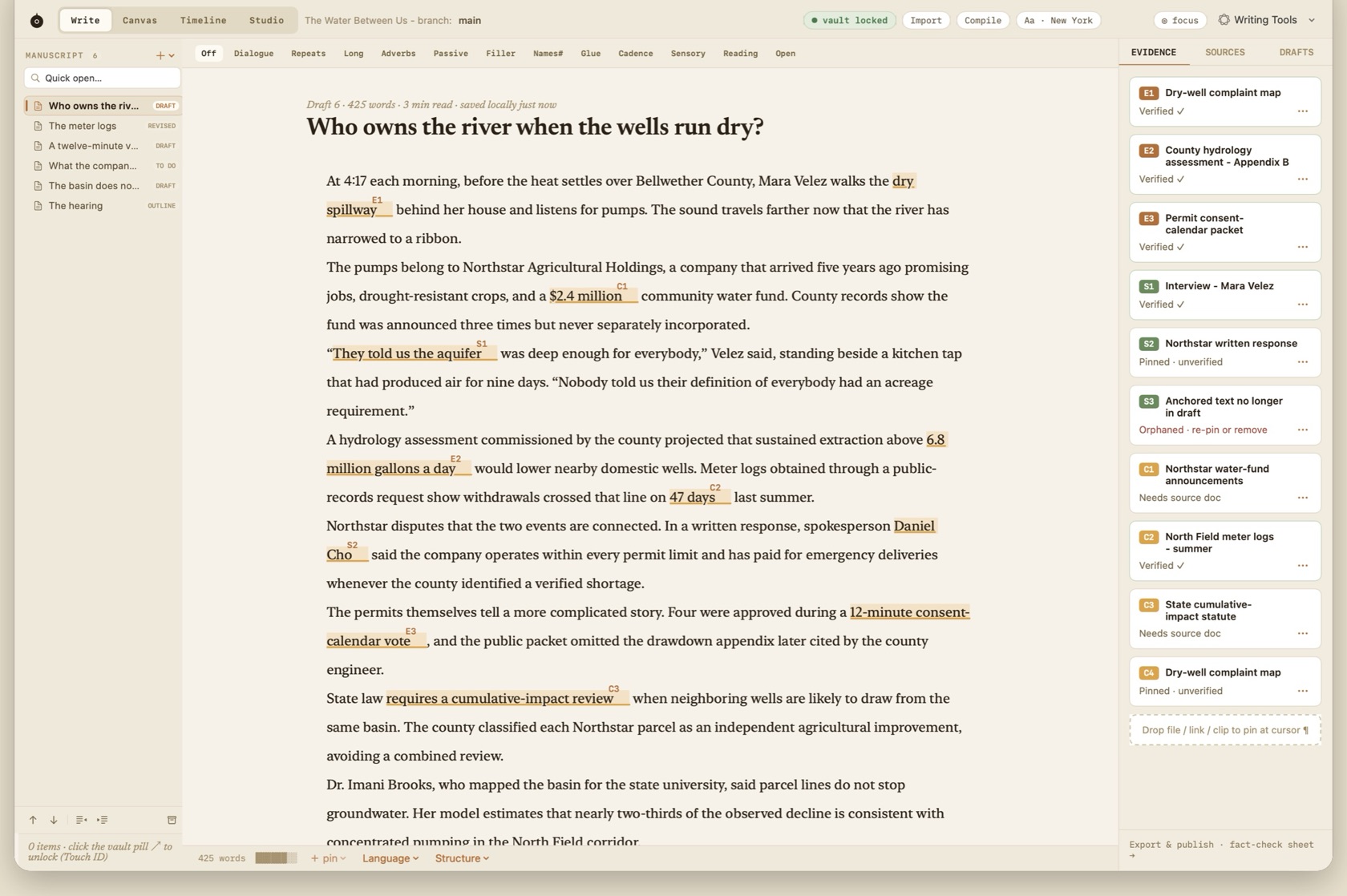
- Evidence pinned to the sentence
- Canvas, Studio, and Timeline
- Publish waits for open claims
- Native on the Mac
Last updated
Browse the guide
24 articlesWelcome to Roono
- Getting Started Understand Roono's design philosophy, sovereign local storage, and the core guarantees of the trusted draft.
- A Quick Tour of Roono Tour the 5 dedicated modes: Write, Canvas, Timeline, Studio, and the top-level Agent terminal.
- The Library The Library is the session start screen. It lists projects, last-session facts, Quick Open, and the locked Vault.
Projects & Workspace
- The Workspace The main window breakdown: Toolbar, Mode Switcher, Status Pills, Project Navigator, Content Area, and Context Inspector.
- Project Navigator How the Project Map organizes groups, manuscript sections, research assets, and entities.
- Command Palette & Universal Search Jump to any chapter, note, interview pull-quote, or evidence pin with ⌘K.
Writing & Typography
- The Editor A deep dive into Roono's native text engine, typography controls, and paragraph mechanics.
- Focus Mode Press esc-esc or click ◎ in the toolbar to enter Roono's distraction-free Night sanctuary.
- Native Language Tools & Apple Intelligence How Roono leverages macOS system intelligence while preserving immutable local history.
Evidence & Pin Engine
Research Canvas & Mind Map
History, Moments & Merging
Studio & Audio Transcription
The Encrypted Vault
Dedicated Agent Terminal (BYO-AI)
Compiling & Publishing
Continuance Practice
Reference & Licensing
- Keyboard Shortcuts Directory Quick reference card for all navigation, writing, mode switching, and pin commands.
- Direct Licensing & Updates Understand Roono's Direct license policy, offline activation, and upgrade path.
- Settings The six Settings panes for a Direct license. Agent login stays in the provider terminal.