Roono's editor is built directly on Apple's TextKit 2 framework, delivering sub-8ms keystroke-to-paint latency even in 100,000-word book manuscripts.
Typography & Font Faces
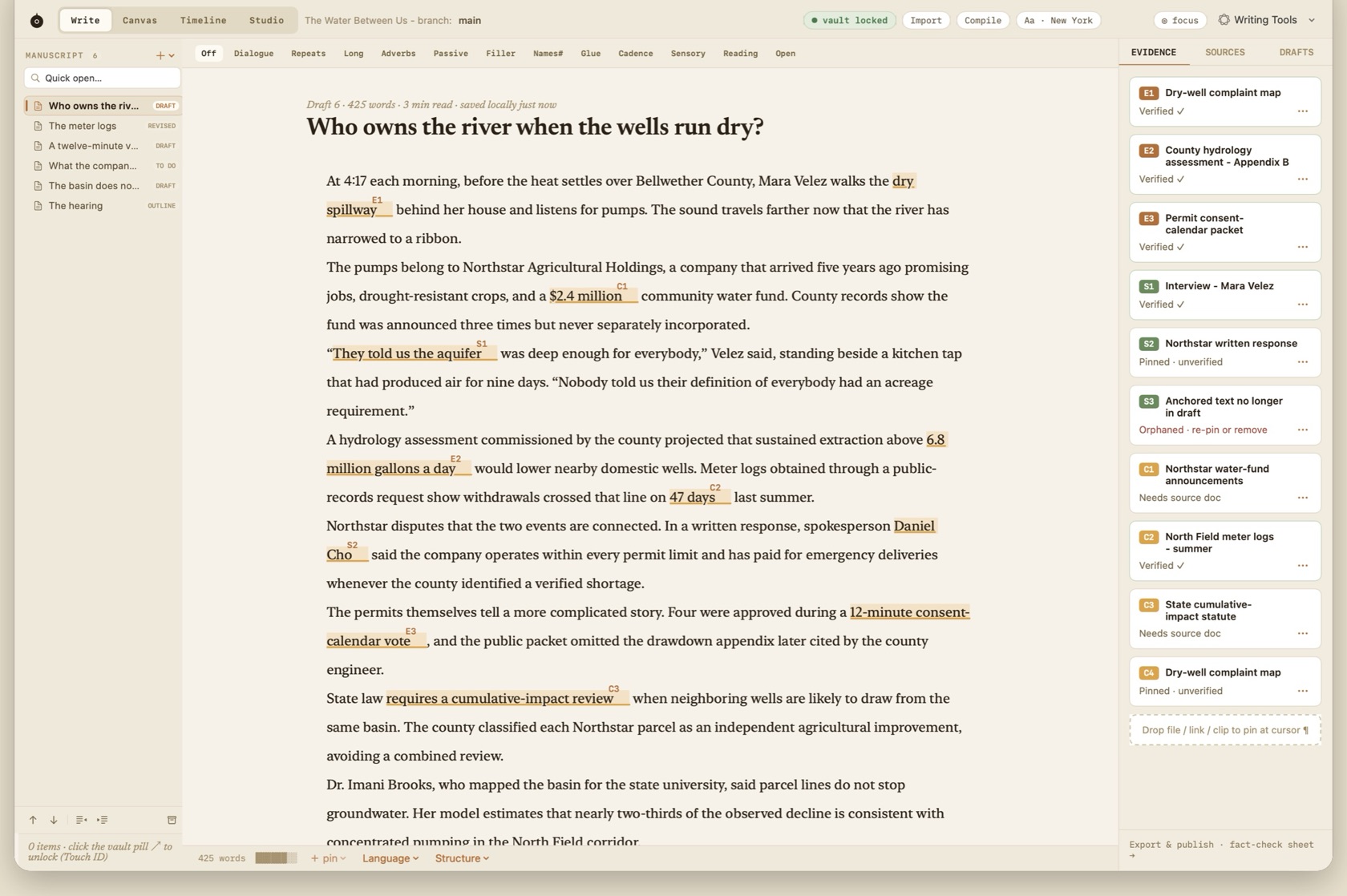
By default, Roono sets prose in Newsreader. The typography pill (Aa in the toolbar) and Show Fonts (⌘T) switch among the faces shipped for the writing surface: Newsreader, New York, a humanist sans, and IBM Plex Mono.
Editor & fonts in Settings is where the surface is tuned. Focus Reset lives there too, off unless you turn it on.
- Aa pill
- Shows the active face. Opens the typography controls.
- ⌘T
- Show Fonts.
- Column
- The writing measure stays in the content area. Focus Mode narrows further, to about 560px, on Night paper.
- Typewriter scroll
- The active line stays vertically centered while you write, including in Focus Mode.
Revision Lenses
The strip under the toolbar is optional. OFF clears it. Each other item highlights one habit in the manuscript so you can see it without a score or a coach.
- Dialogue, Repeats, Long, Adverbs, Passive, Filler
- Highlights that class of sentence or word.
- Names#, Glue, Cadence, Sensory, Reading
- Name frequency, glue words, rhythm, sense language, and a reading pass.
- Open
- Unresolved pins still attached to the manuscript.
- Language
- Footer menu for dictionary, thesaurus, translation, and Writing Tools.
Typewriter Scrolling
Typewriter scrolling keeps the active line vertically centered in the viewport as you write, including in Focus Mode.
Word Goals & Progress
Roono tracks quiet writing progress without gamification badges or artificial streak pressure. The session strip shows words written in the current session alongside your quiet target.