 Markdown Guide
Verso
A quiet Markdown editor that works on your folders as they are, with Edit, Read, and Galaxy over the same plain files.
- Plain .md files, no database
- Edit, Read, and Galaxy
- Data not collected
- Mac and Linux, one purchase
Last updated
Browse the guide
16 articlesWelcome to Verso
Workspace & Navigation
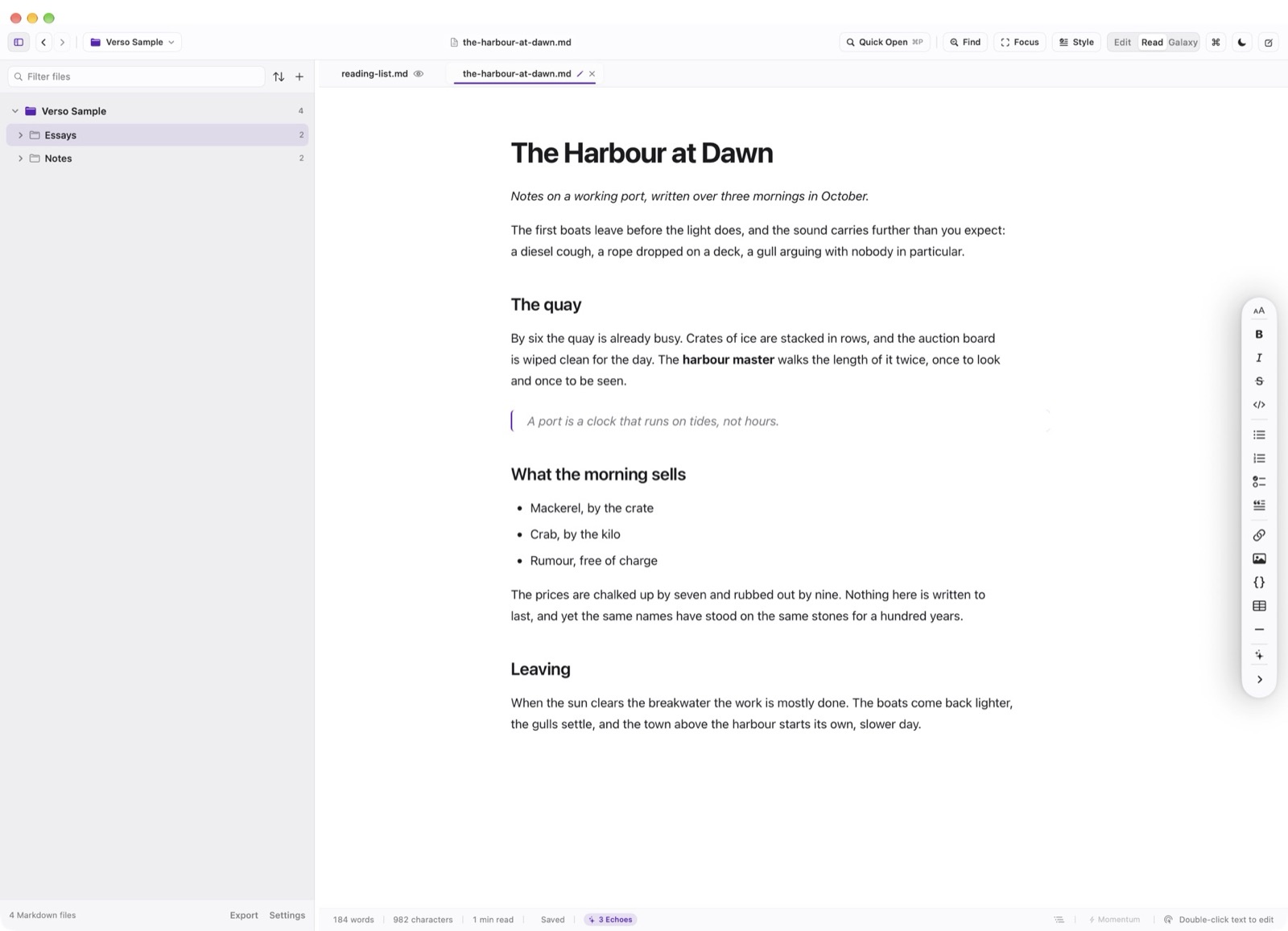
- The Workspace Tour the main window: Header bar, multi-root folder tree, tab strip, editor canvas, and status bar.
- Multi-Root Workspaces & File Tree Combine multiple repository roots, filter files as you type, and organize notes with zero build artifacts.
- Quick Open & Tab Management Jump between Markdown documents in milliseconds with Quick Open (⌘P) and manage persistent tab buffers.
Editing & Writing Surface
- The Writing Surface & Source Gutter Configure editor font metrics, logical line gutters, wrapped-line continuation, and viewing zoom.
- The Docked Markdown Tools Rail A non-intrusive vertical formatting rail docked to the trailing edge of the writing canvas.
- Find & Replace Bar Search within open documents with live highlight counts, regex evaluation, and batch replace.
- Focus Mode & Momentum Drafting Dim surrounding paragraphs with Focus Mode (⌘⇧F) or defeat blank-page hesitation with Momentum drafting.