Access any command or document instantly without lifting your hands from the keyboard.
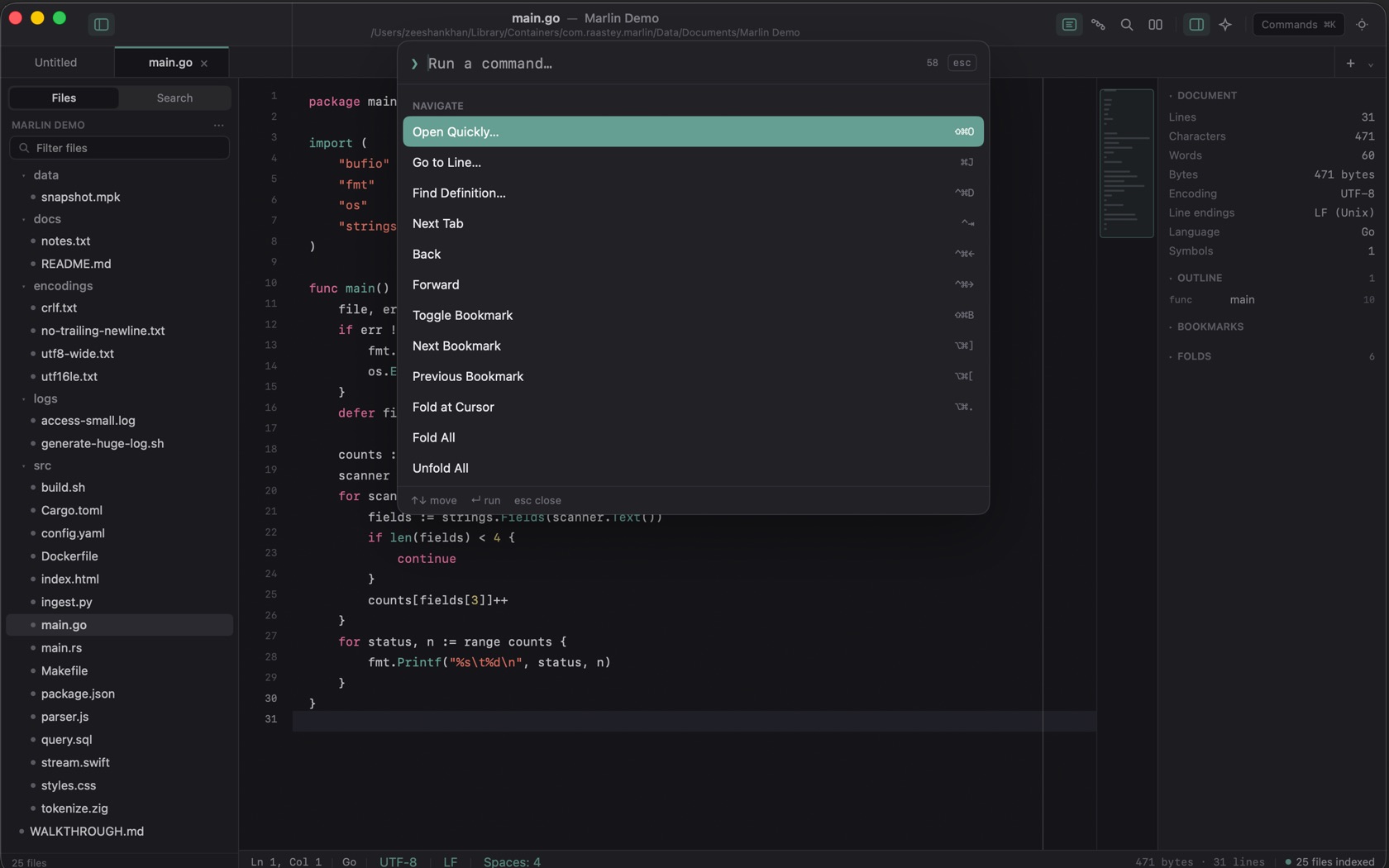
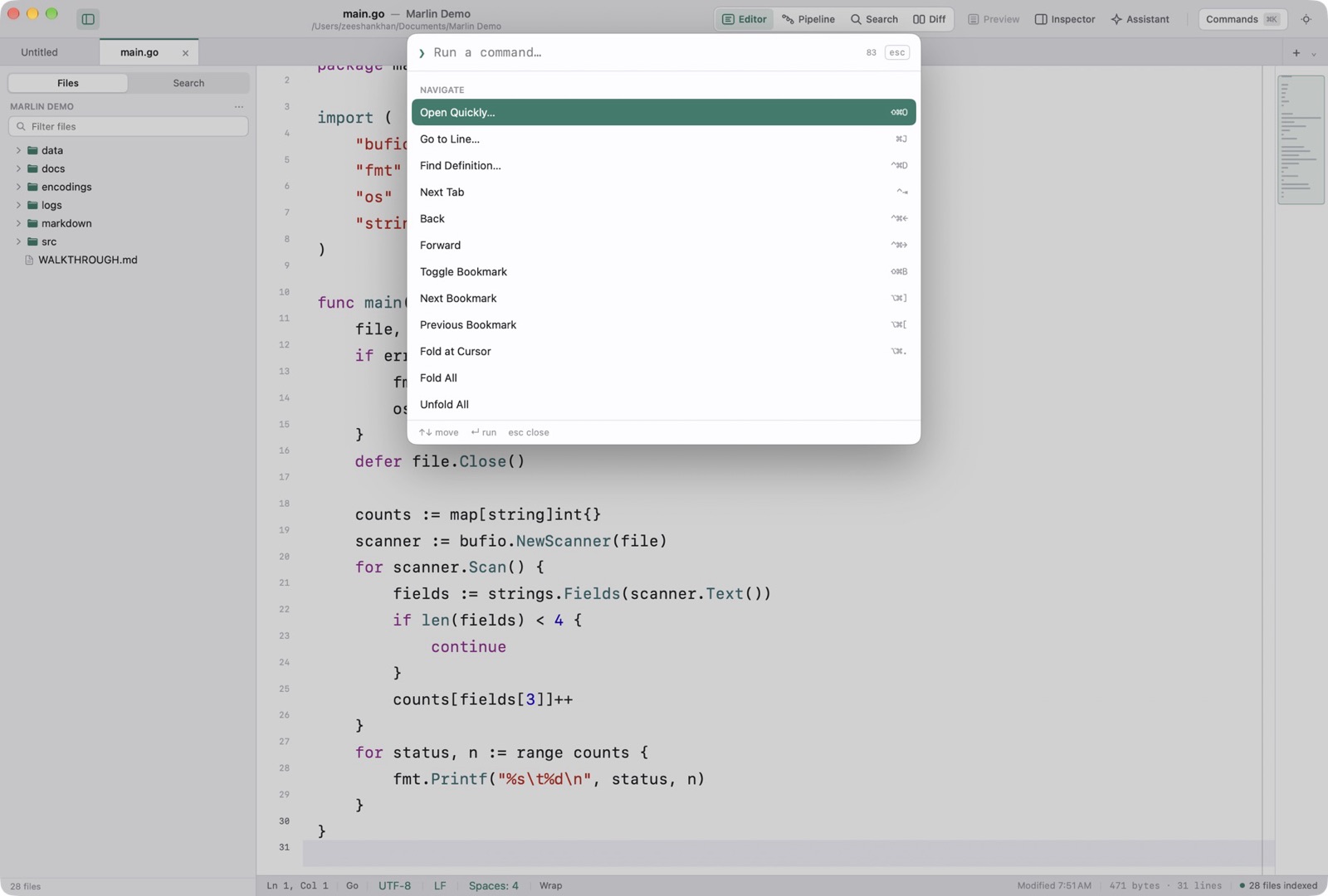
The Command Palette (⌘K)
Commands is ⌘K. The field reads Run a command. Escape dismisses it. The Navigate group on the shot starts with Open Quickly ⇧⌘O, Go to Line ⌘J, Find Definition, Next Tab, Back, Forward, the bookmark commands, Fold at Cursor, Fold All, and Unfold All. Each row prints its shortcut.
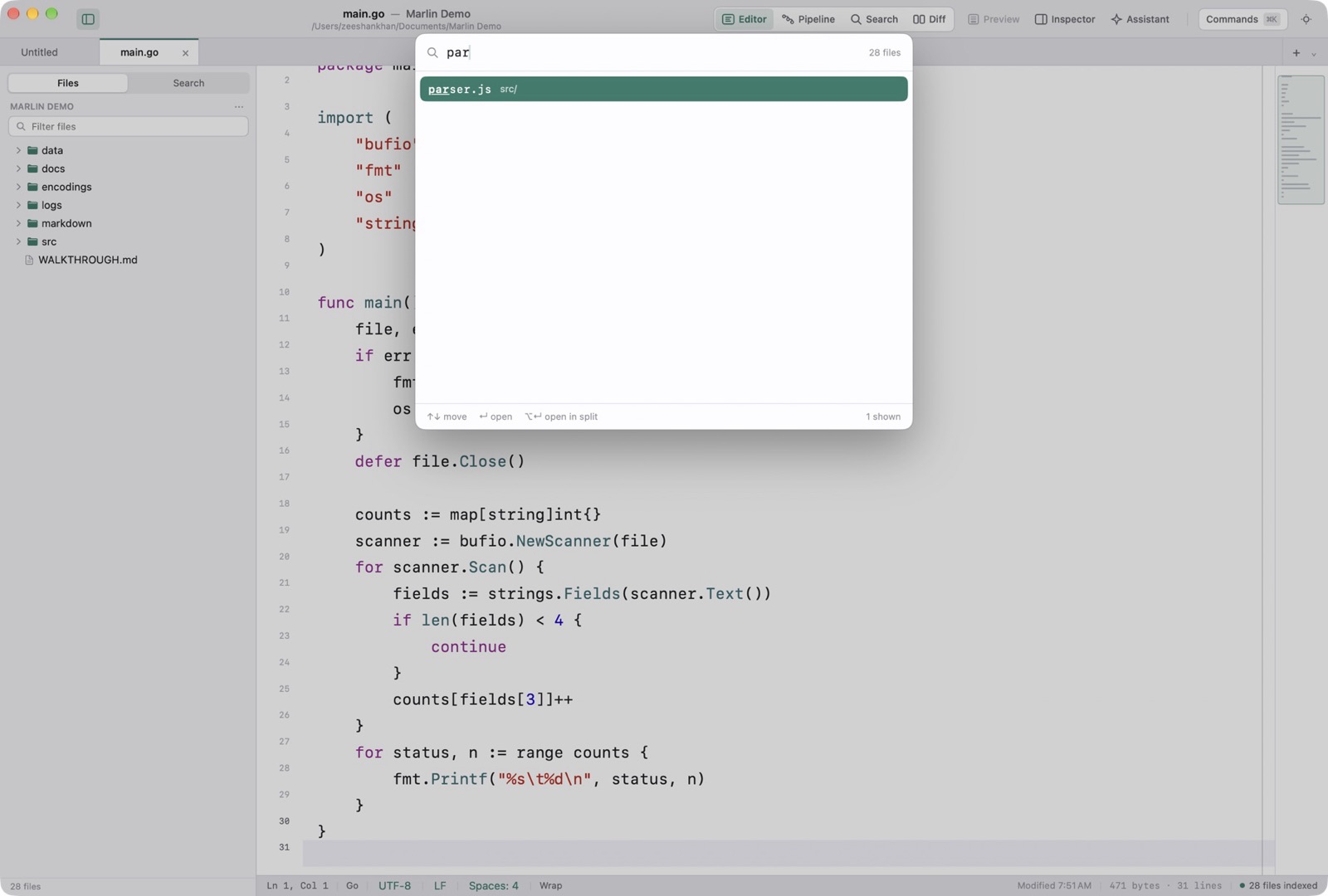
Fuzzy Open Quickly (⇧⌘O)
Open Quickly is ⇧⌘O. Matching is by subsequence over the name and the path, so srmn finds src/main.go.
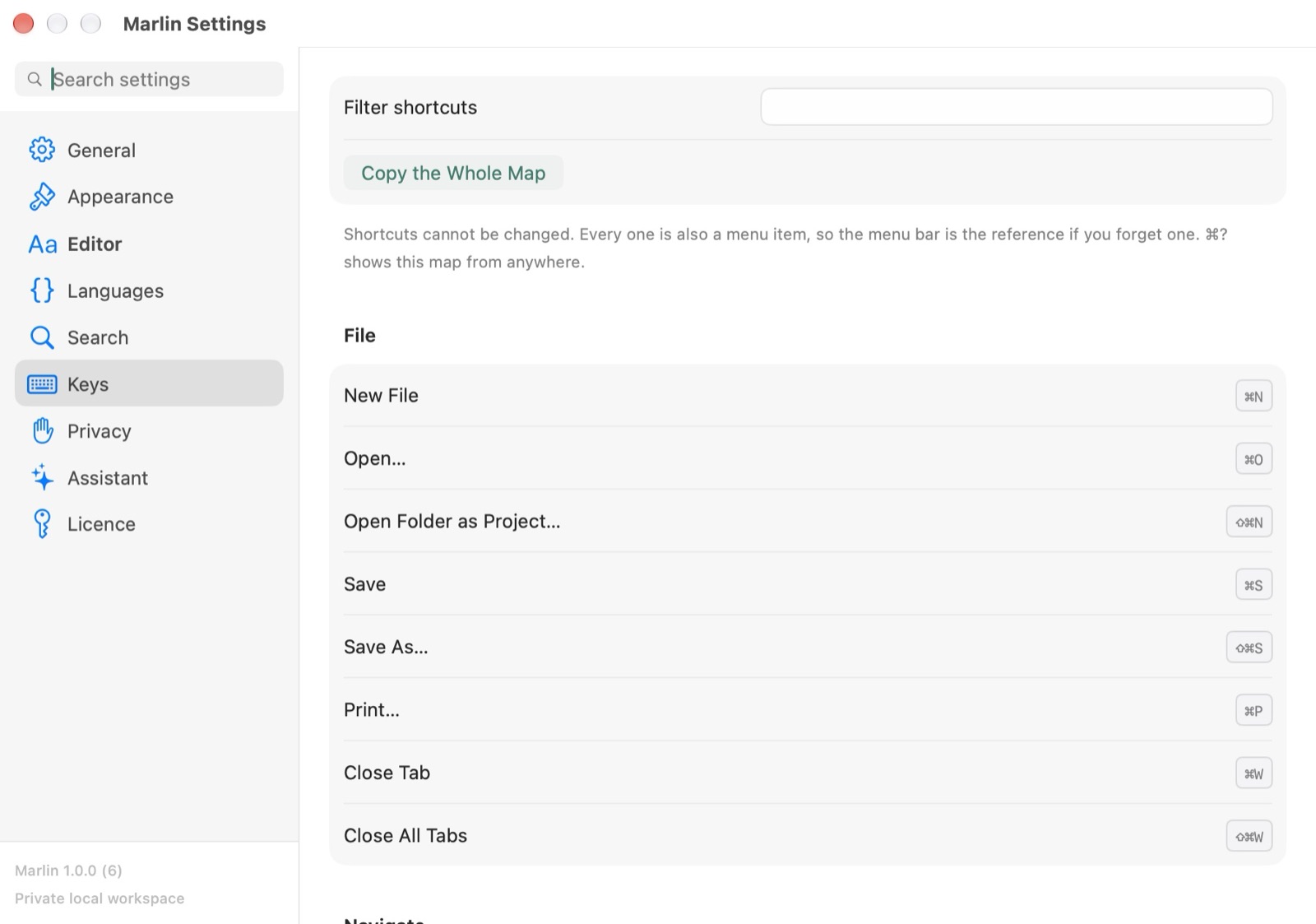
The Keyboard Map (⌘?)
Keyboard Map is ⌘?. It is the same list the app prints: File, Navigate, Find, Text, and View, each command with its chord.