
Inspect binary structures, corrupted files, and raw data bytes with a native dual-pane hex editor.
Hex Mode (⌃⌘H)
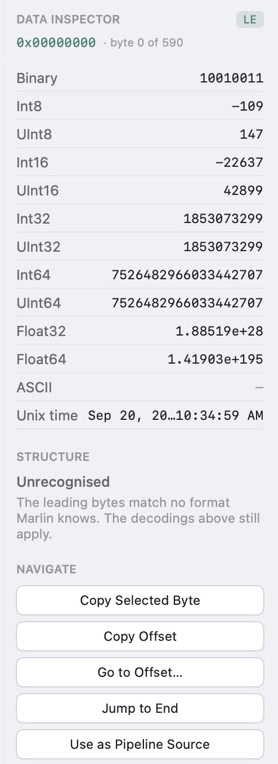
Open in Hex Mode is ⌃⌘H. The view has a Hex and Text switch, then the byte rows, then a data inspector. Each row is 16 bytes.
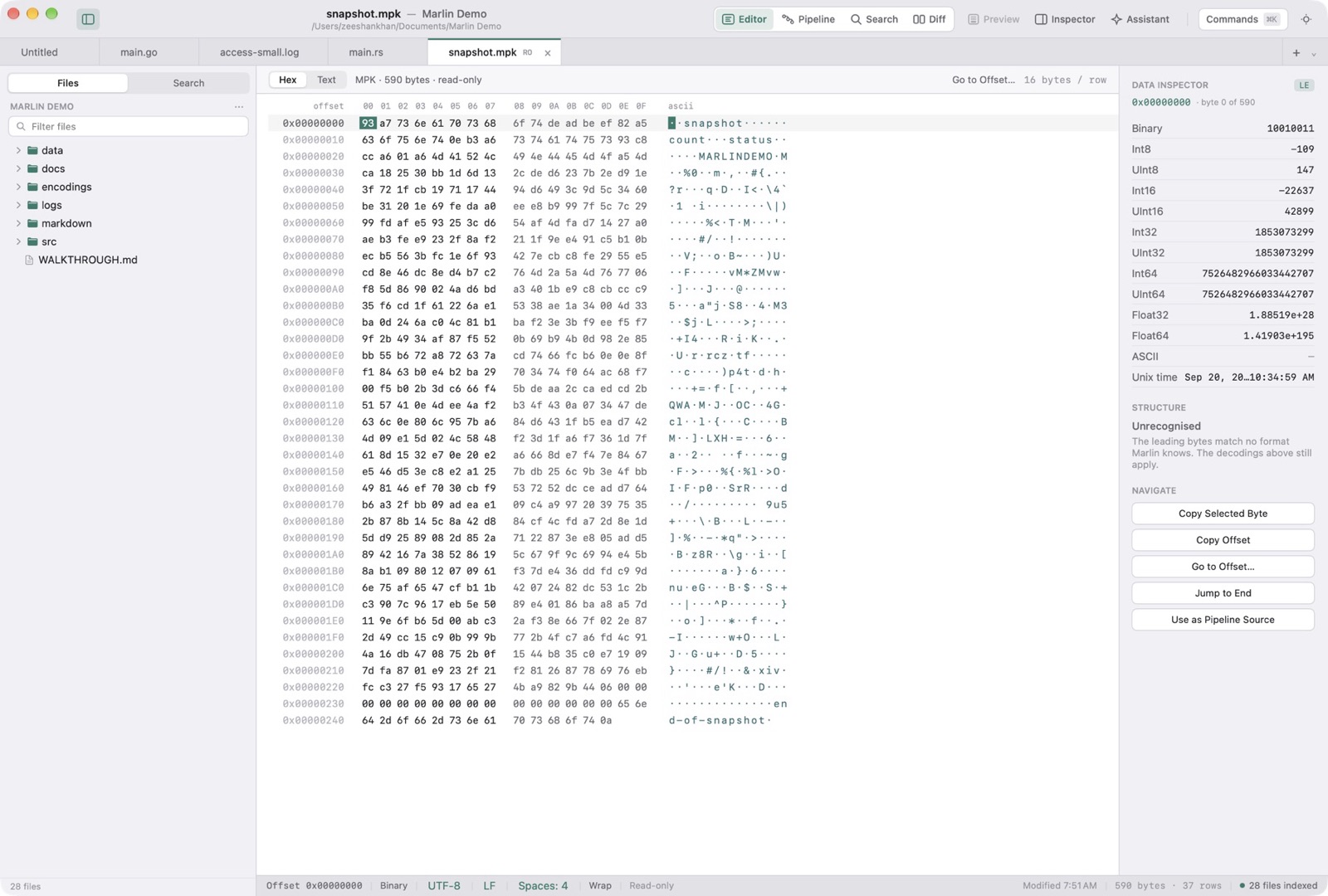
16-Column Byte Grid & ASCII Stream
Each row prints its offset, sixteen hex cells, and the ASCII for those bytes. A byte outside printable ASCII is drawn as a middle dot.
Go to Offset
Go to Offset jumps the caret. The inspector decodes the bytes at that caret.