The window is the document, its project, and the path of that project. The toolbar is 46 points tall. The status bar is 25.
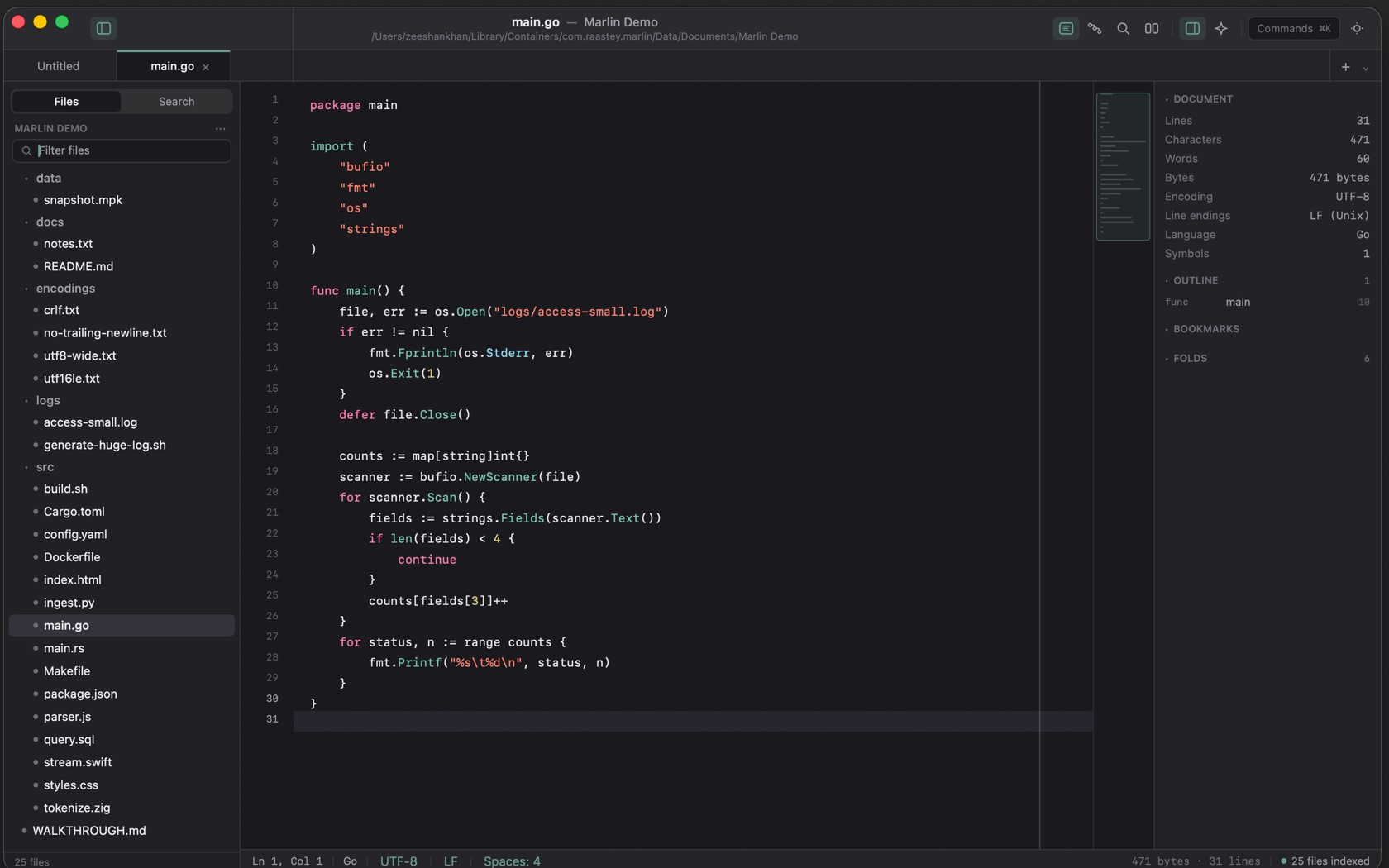
The Toolbar
The title is the file and the project, with the project path underneath. The controls to the right are a single row:
- Sidebar ⌃⌥S
- Shows or hides the project files and search.
- Editor, Pipeline, Search, Diff
- Four peer surfaces. Pipeline is ⌥⌘P . Find in Project is ⇧⌘F . Compare with the file on disk is ⌘D .
- Preview, Inspector, Assistant
- Preview is ⇧⌘P . The inspector is ⇧⌘I and lists document stats, the outline, bookmarks, and folds. Assistant is ⌘I .
- Commands ⌘K
- The button is labeled Commands. It opens every command by name.
- Appearance ⌃⌥T
- Switches light and dark.
The Sidebar
Files and Search are the two tabs. Under Files, the open project is named, then Filter files, then the tree. The status bar reports how many files are indexed. Open Folder as Project is ⇧⌘N . Open a single file is ⌘O .
Multi-Document Tab Strip
Marlin supports multi-document tabs across multiple project roots. Each tab retains its own independent buffer, cursor position, selection ranges, and encoding configurations.
The Editor
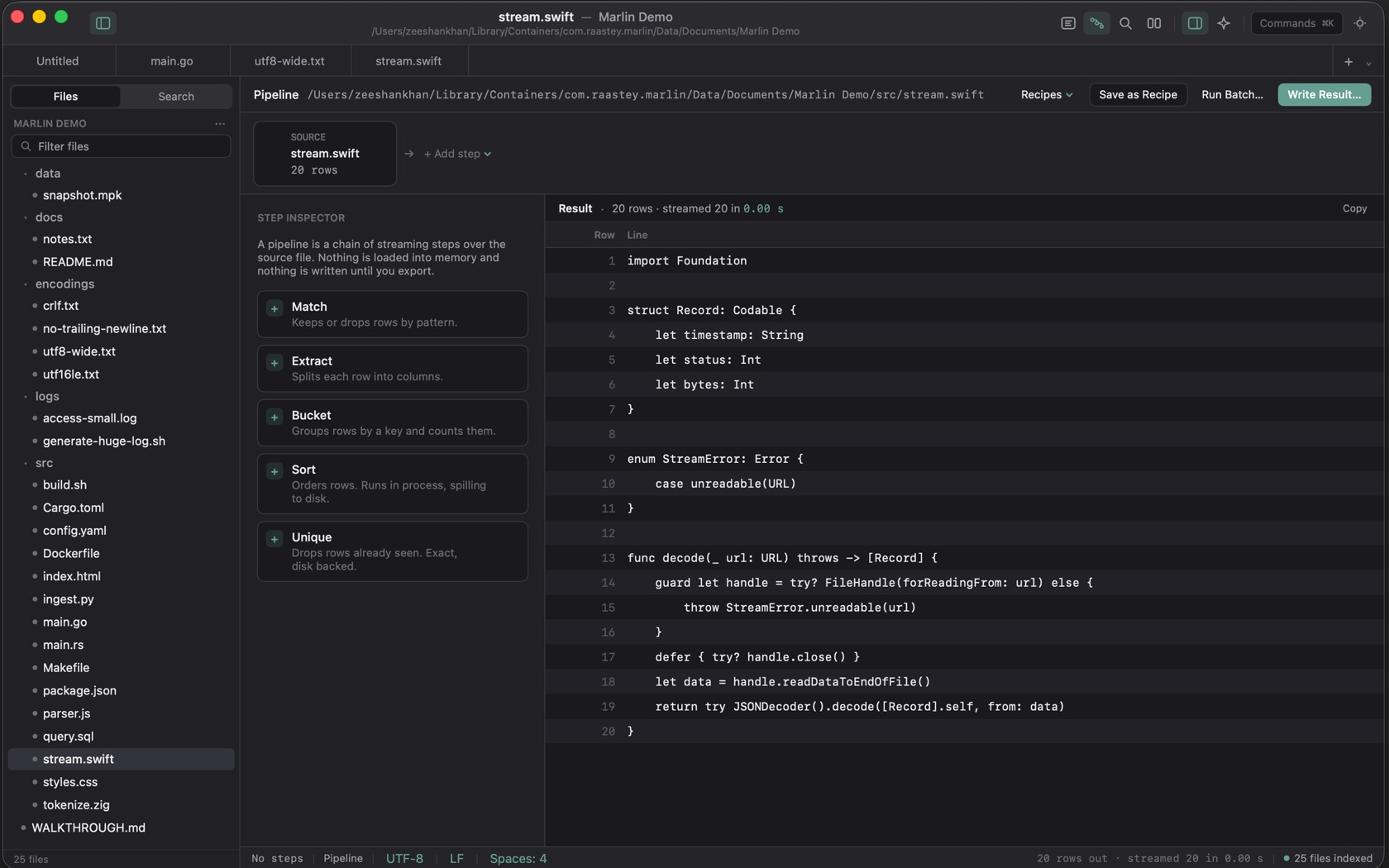
The welcome sheet calls Marlin a plain-text editor for people who open 2 GB files. Hex mode is ⌃⌘H . The language name on the status bar is whatever the file is: Go on main.go, Swift on stream.swift.
The Status Bar
The bar is 25 points. On the editor shot it reads Ln 1, Col 1, then the language, UTF-8, LF, and Spaces: 4. The right side is the byte count, the line count, and how many files are indexed. Go to Line is ⌘J .