
A symbol is a reusable piece of interface, such as an app bar or a recipient row. Edit it once and every placement updates.
Making a Symbol
Select the controls and choose Insert ▸ Make Symbol, or Arrange ▸ Create Component (⌥⌘K). The new component appears in the sidebar under Components with its placement count.
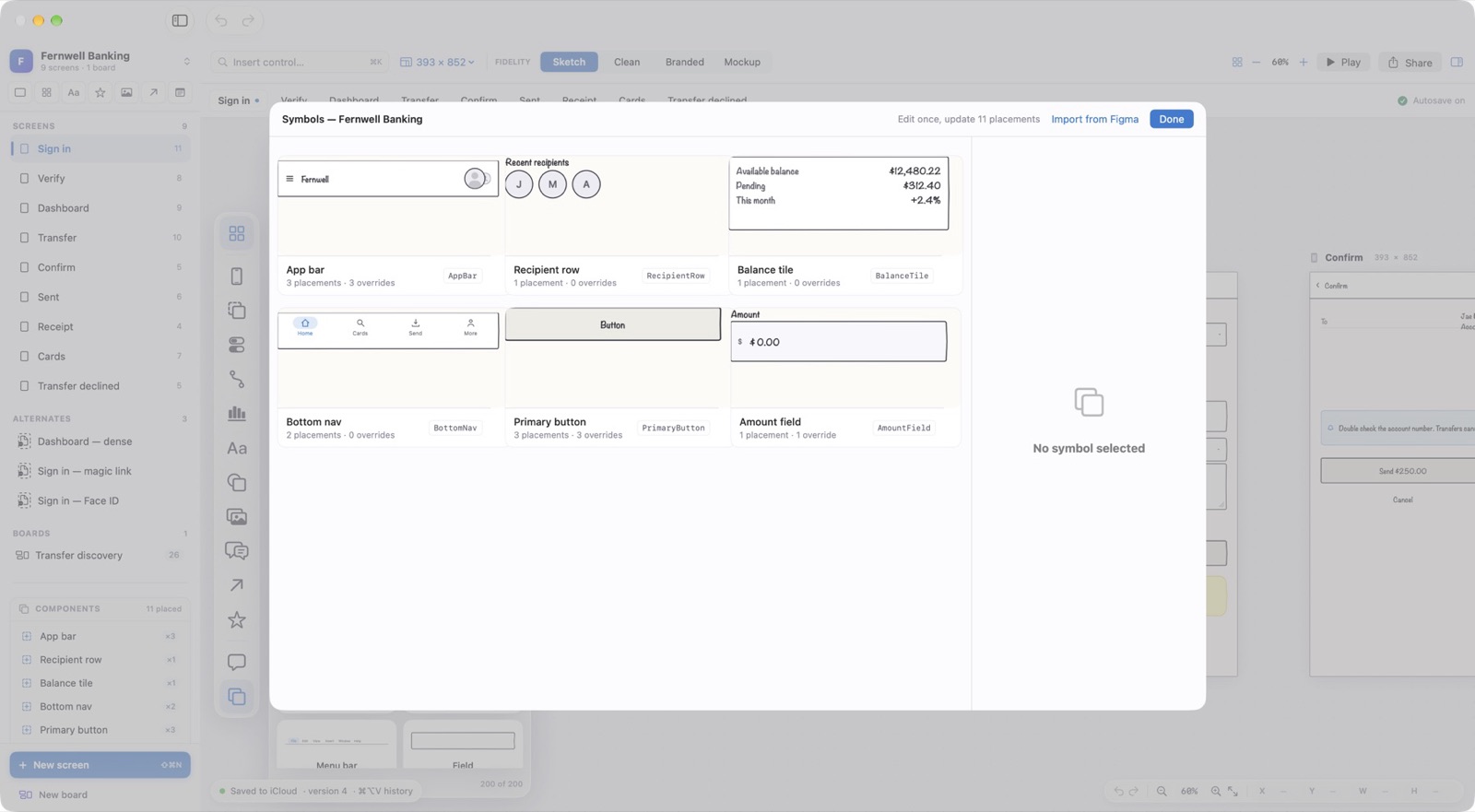
The Symbols Window
View ▸ Symbols shows every symbol in the document with how many times it is placed and how many placements override it. Edit once, update all.