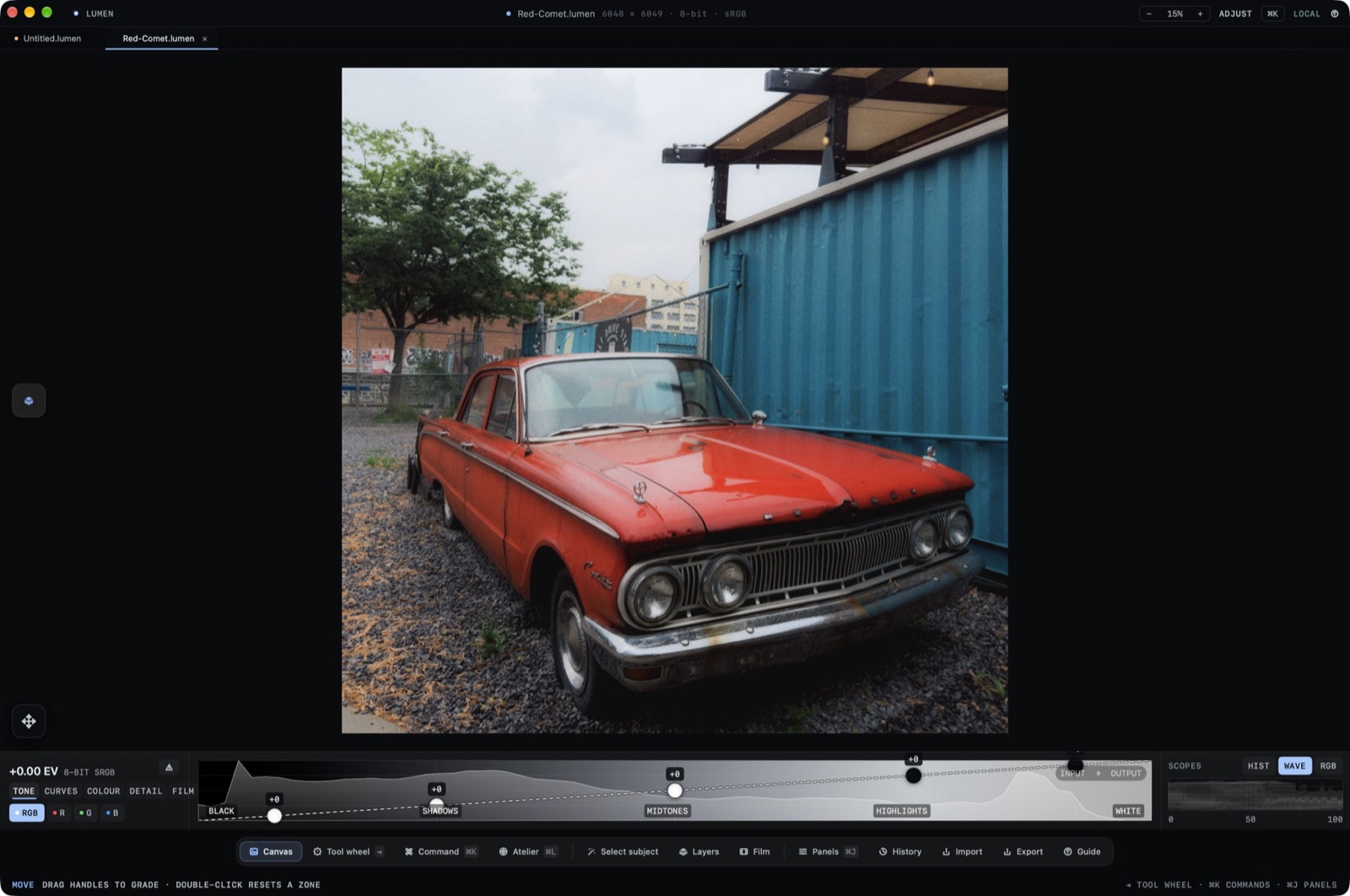
A Lumen window is a .lumen document. The title shows the filename, pixel size, bit depth, and color space. The dock along the bottom is the way around the app.
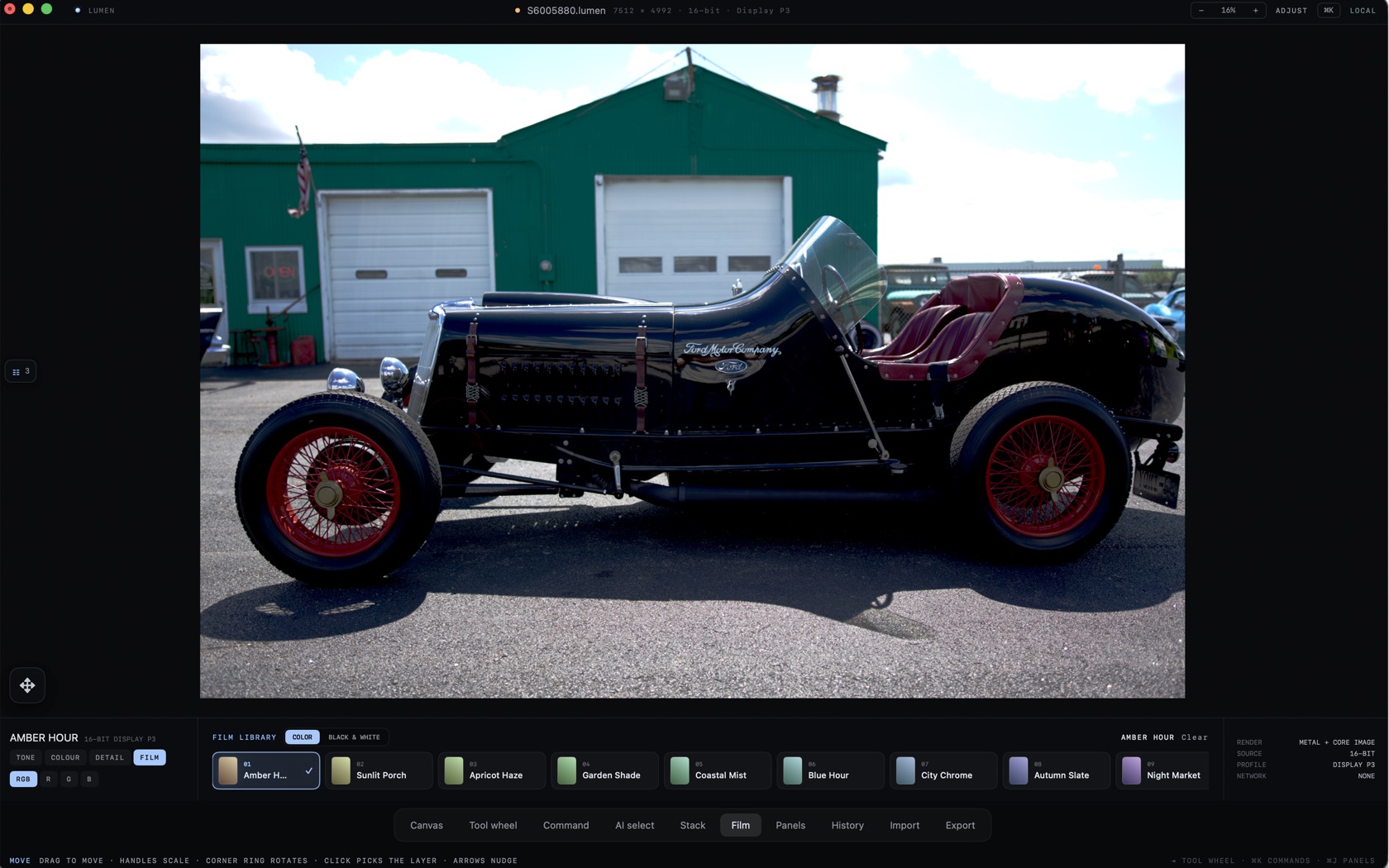
The Core Surfaces
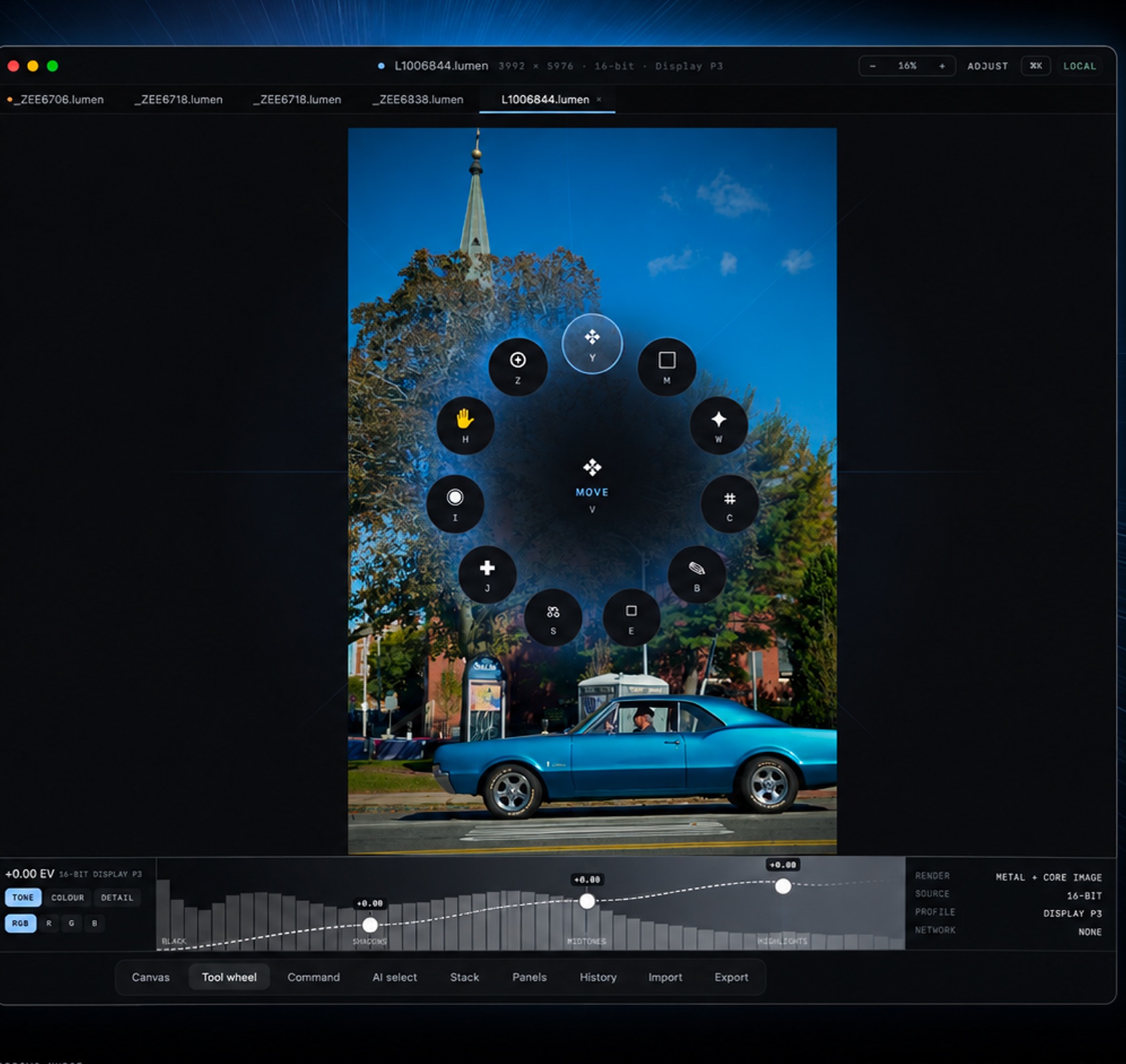
Document tabs sit under the title. The title itself reads the open file, for example L10006844.lumen, then the pixel size, 16-bit or 8-bit, and Display P3 or Embedded RGB. Zoom is a percent with minus and plus. ADJUST and LOCAL sit on the right of that bar. On iPad the same bar adds COMMAND and SETTINGS.
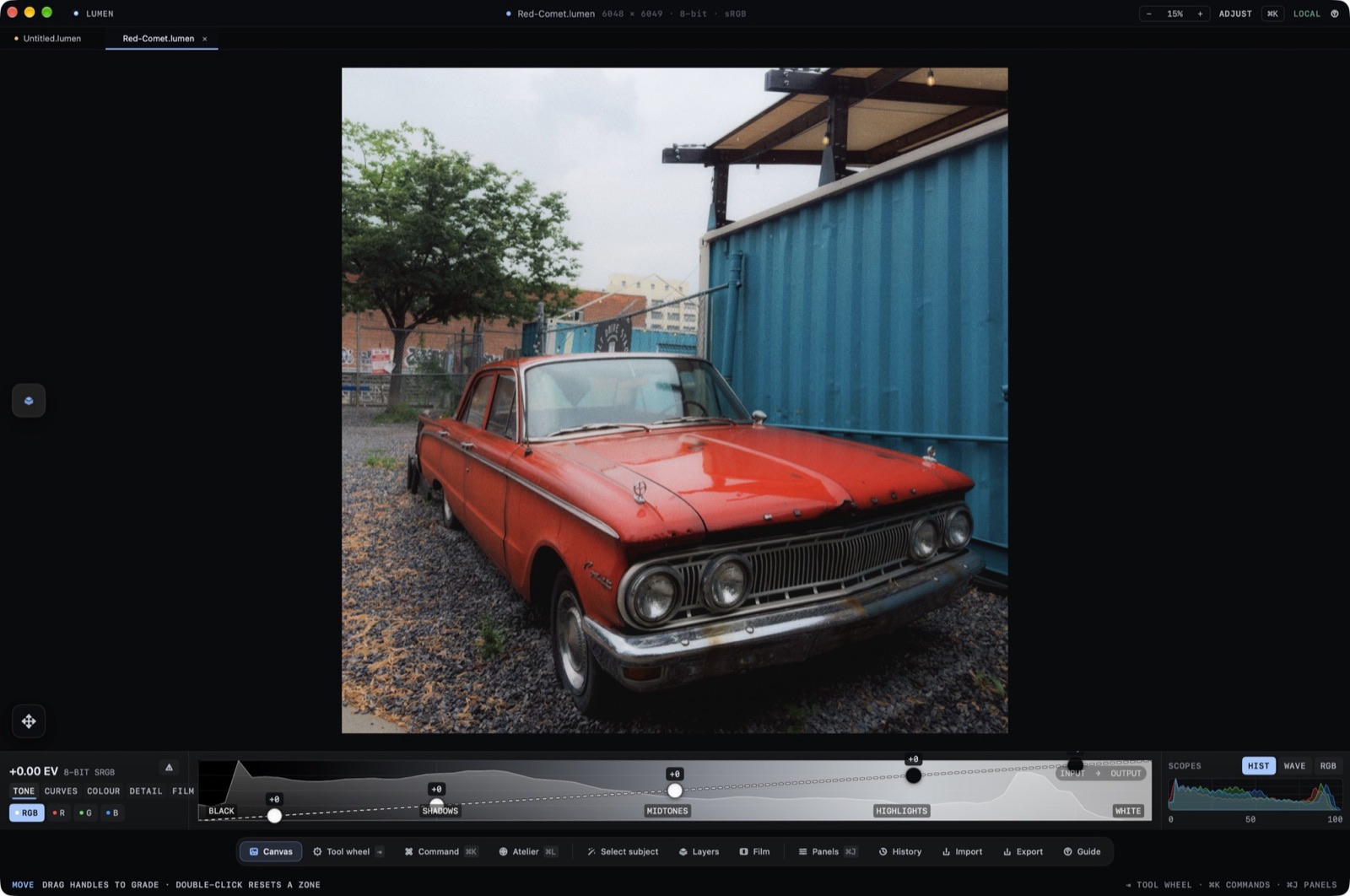
- Canvas
- The photograph.
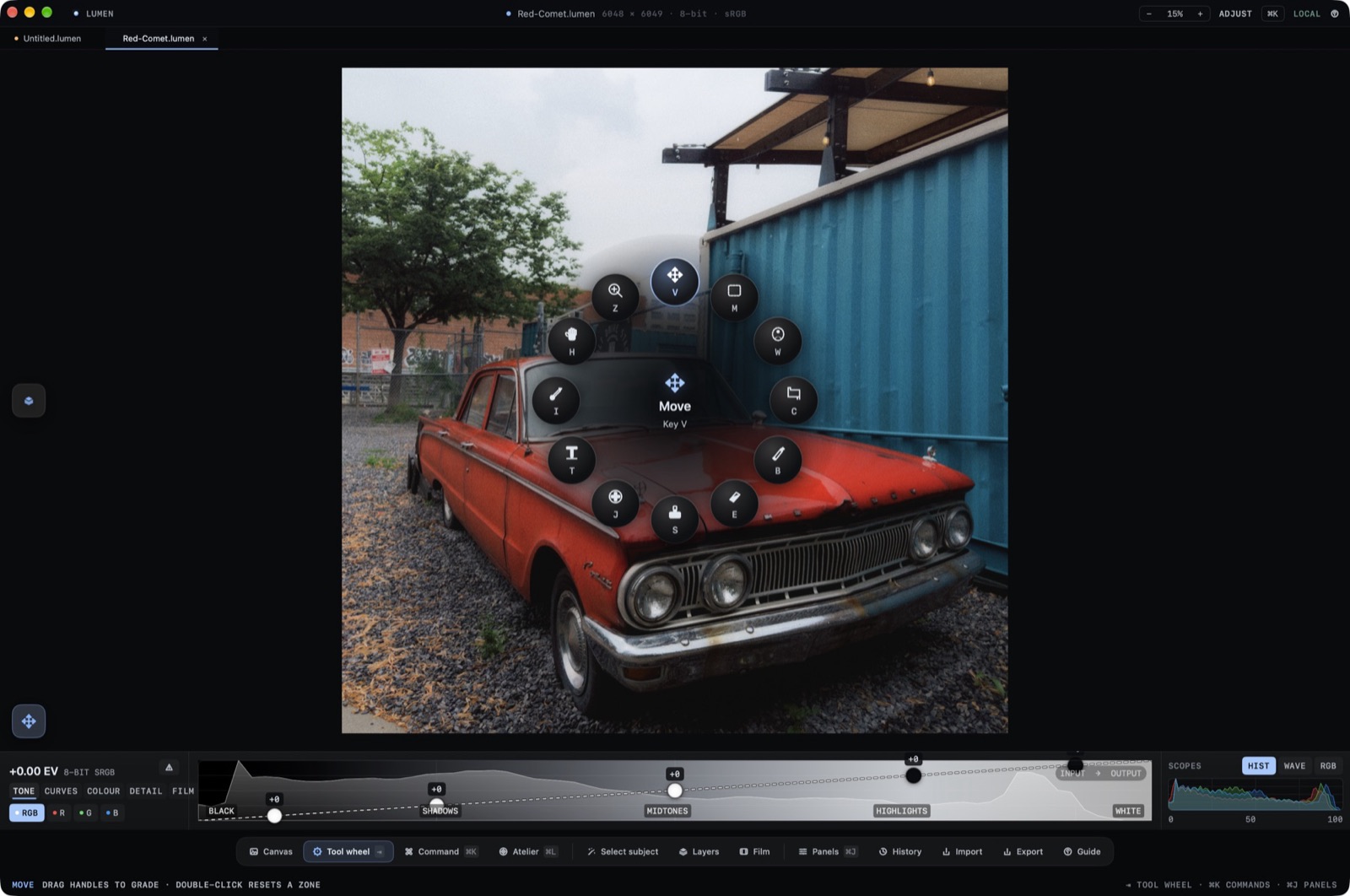
- Tool wheel
- The radial tool picker. The product screen says Hold Space.
- Command
- The command surface on the dock.
- AI select
- Subject selection from the dock.
- Stack
- The layer stack. On iPad this opens as LAYERS, with an adjustment over the original.
- Film
- The film library.
- Panels
- Inspector panels.
- History
- The history of the document.
- Import / Export
- The last two dock items.
The Tool Wheel
Hold Space. The wheel opens on the canvas. The center wedge is labeled MOVE and carries V. Around it, the wedges are lettered Z, Y, M, H, W, I, C, J, S, E, and B. H is the hand, Z is zoom, C is crop, and B is the brush.
The Lower Adjustment Ribbon
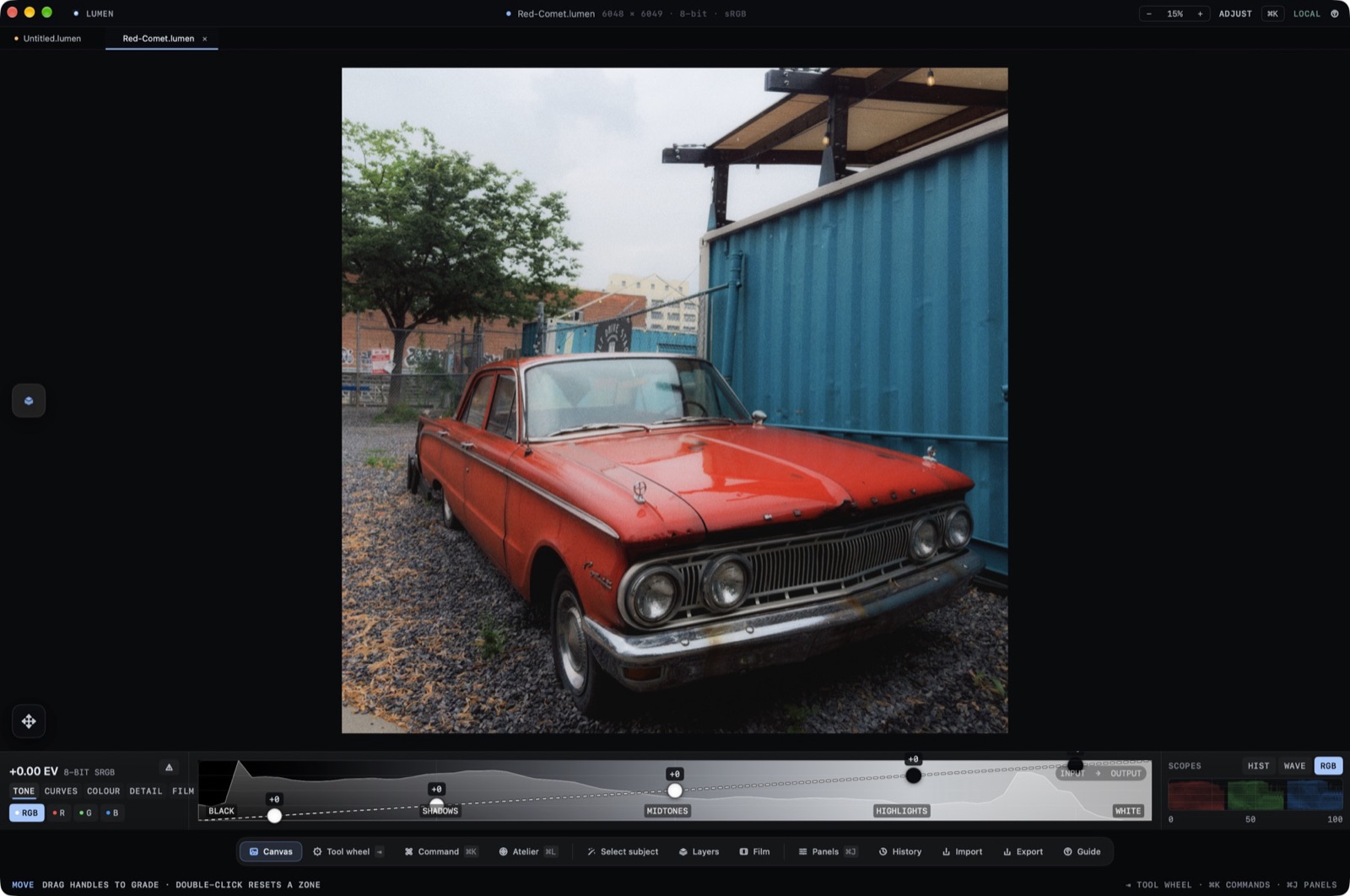
The ribbon groups are TONE, CURVES, COLOUR, DETAIL, and FILM. TONE is the graph with BLACK, SHADOWS, MIDTONES, and HIGHLIGHTS. A readout such as +0.00 EV sits at the left, with the file bit depth and color space beside it.
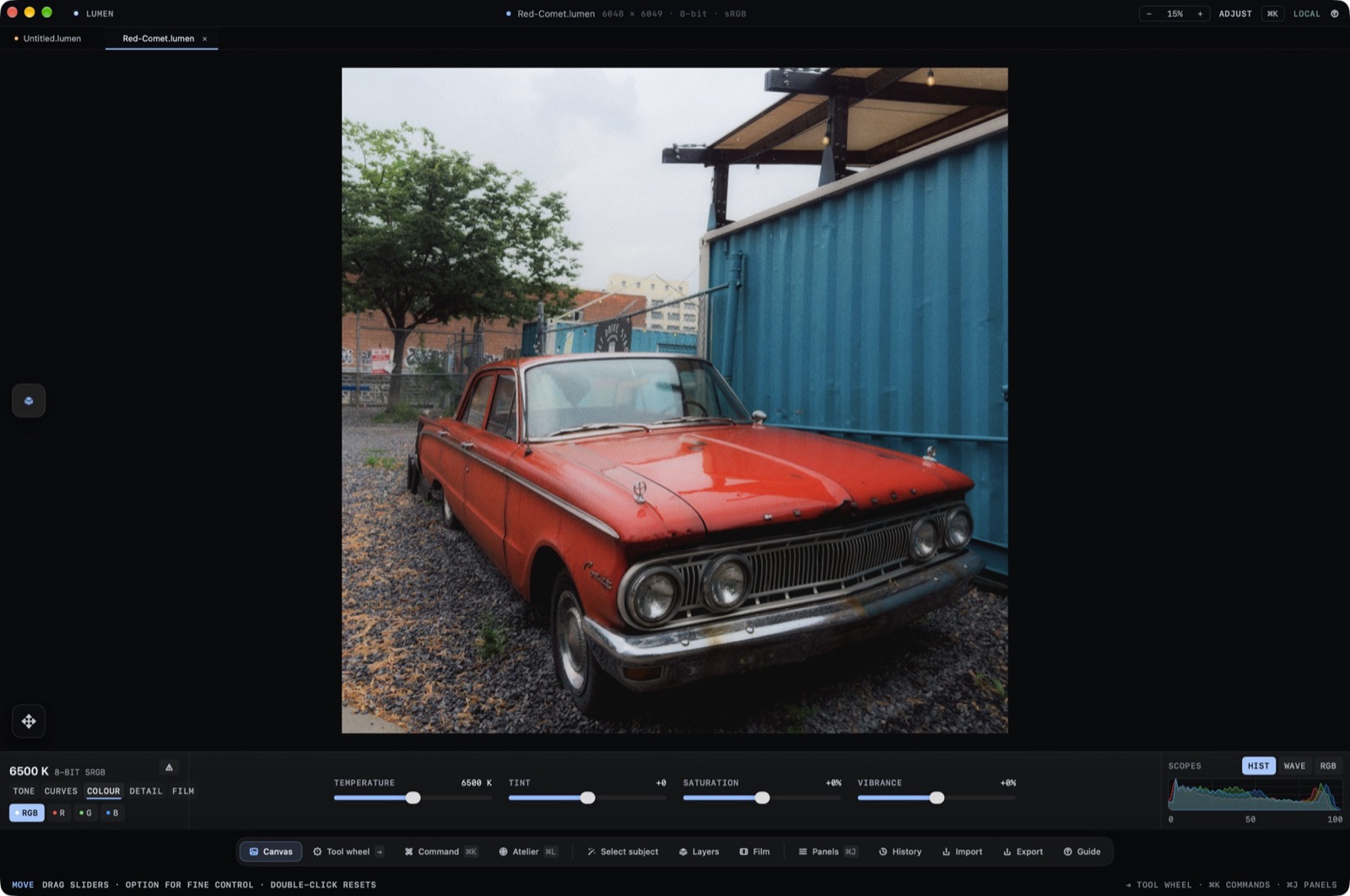
Scopes: Waveform & RGB Parade
SCOPES sits at the right of the ribbon. The three modes are HIST, WAVE, and RGB.