 About Lumen Darkroom
Lumen Darkroom
A darkroom for your photographs on Mac, iPad, iPhone, and iPhone Duo, where every change can be undone and the original is never touched.
- Reversible .lumen documents
- Extended-range Display P3
- Film looks and LUTs
- Mac, iPad, iPhone, and iPhone Duo
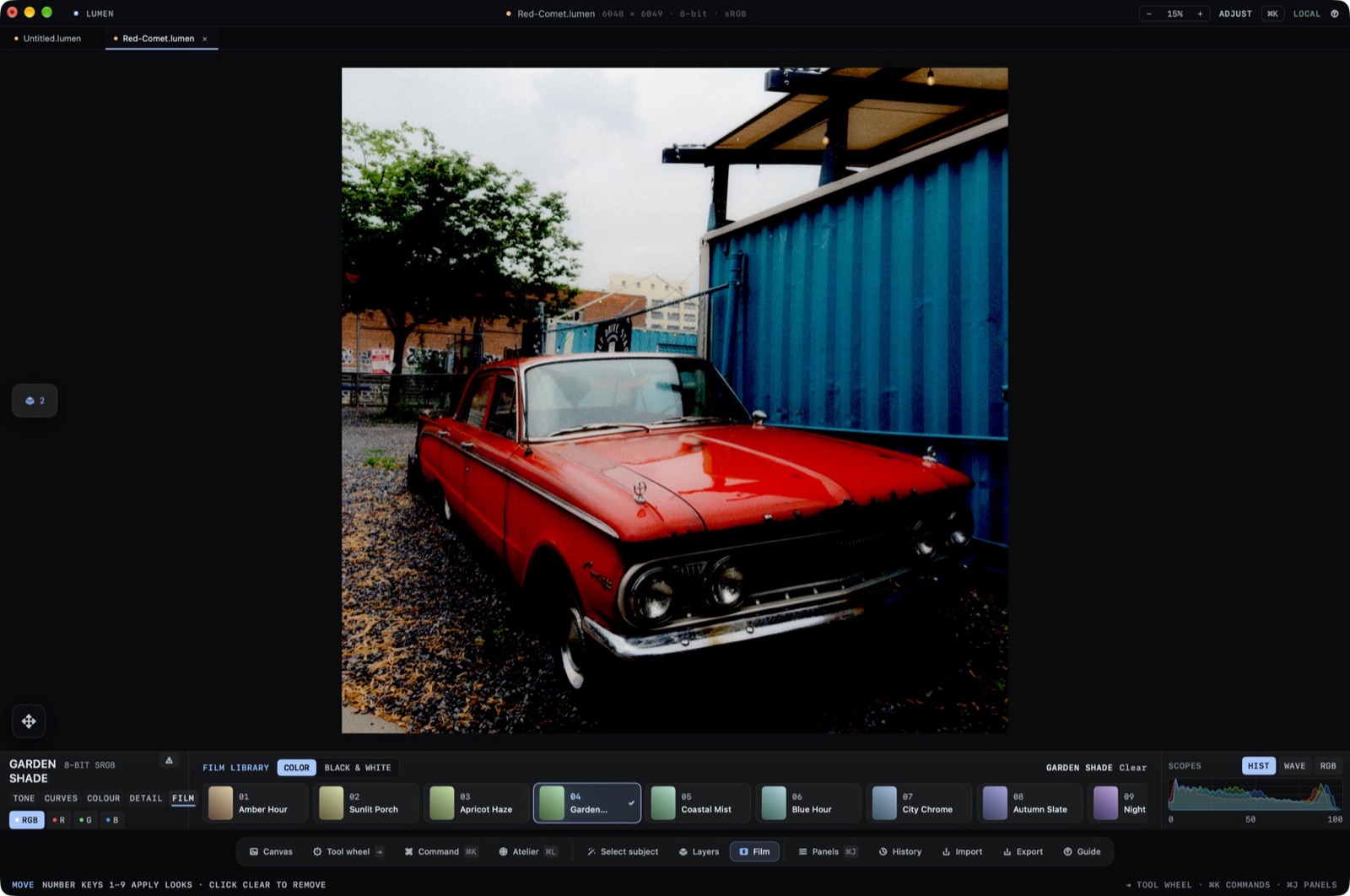
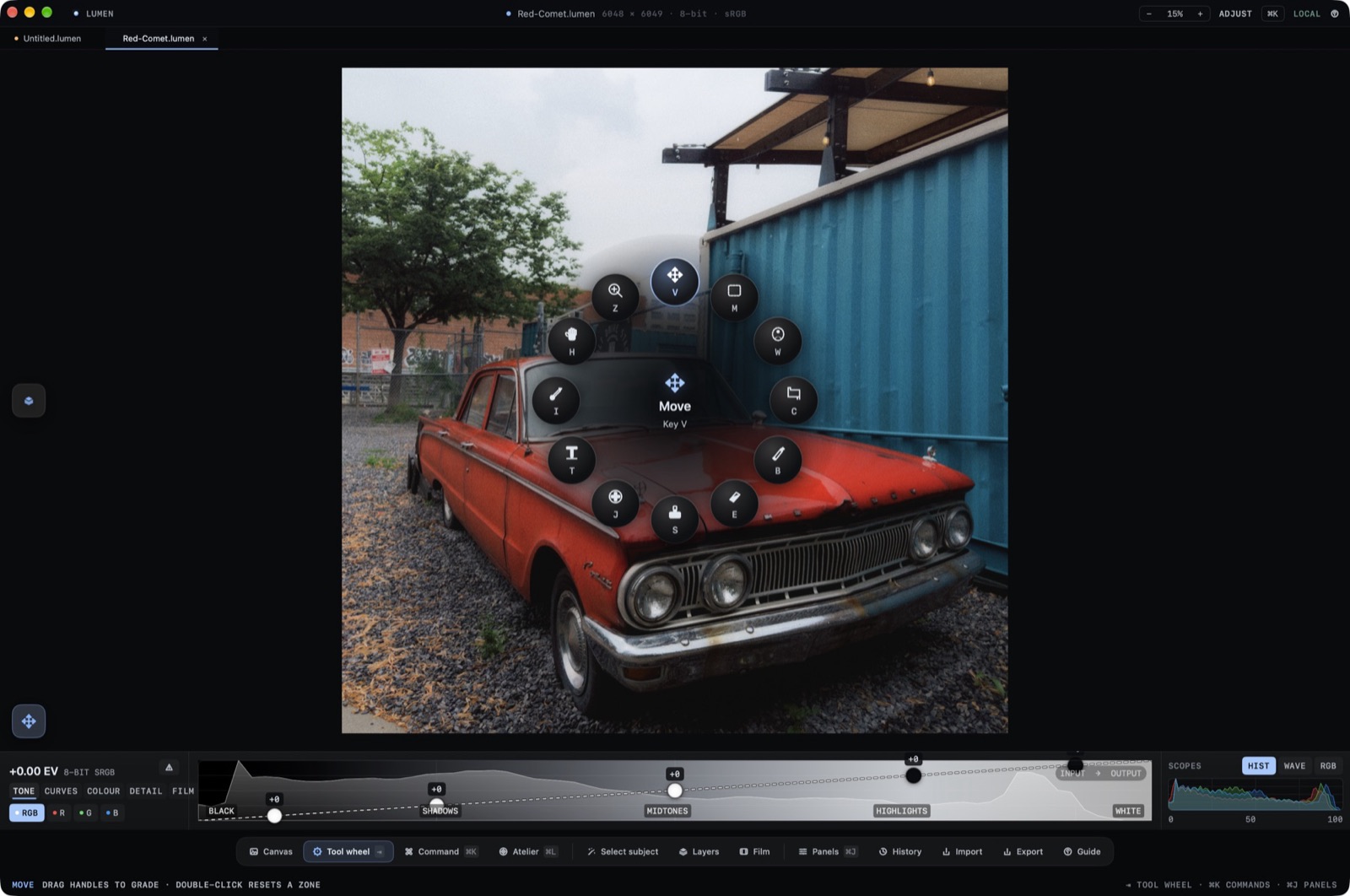
Lumen is a darkroom for the photographs you care about, on Mac, iPad, iPhone, and iPhone Duo. Adjust light and tone curves, apply film looks, lift subjects cleanly from backgrounds, and paint selective masks in reversible layers. Your original photograph stays untouched, and nothing ever leaves your device.
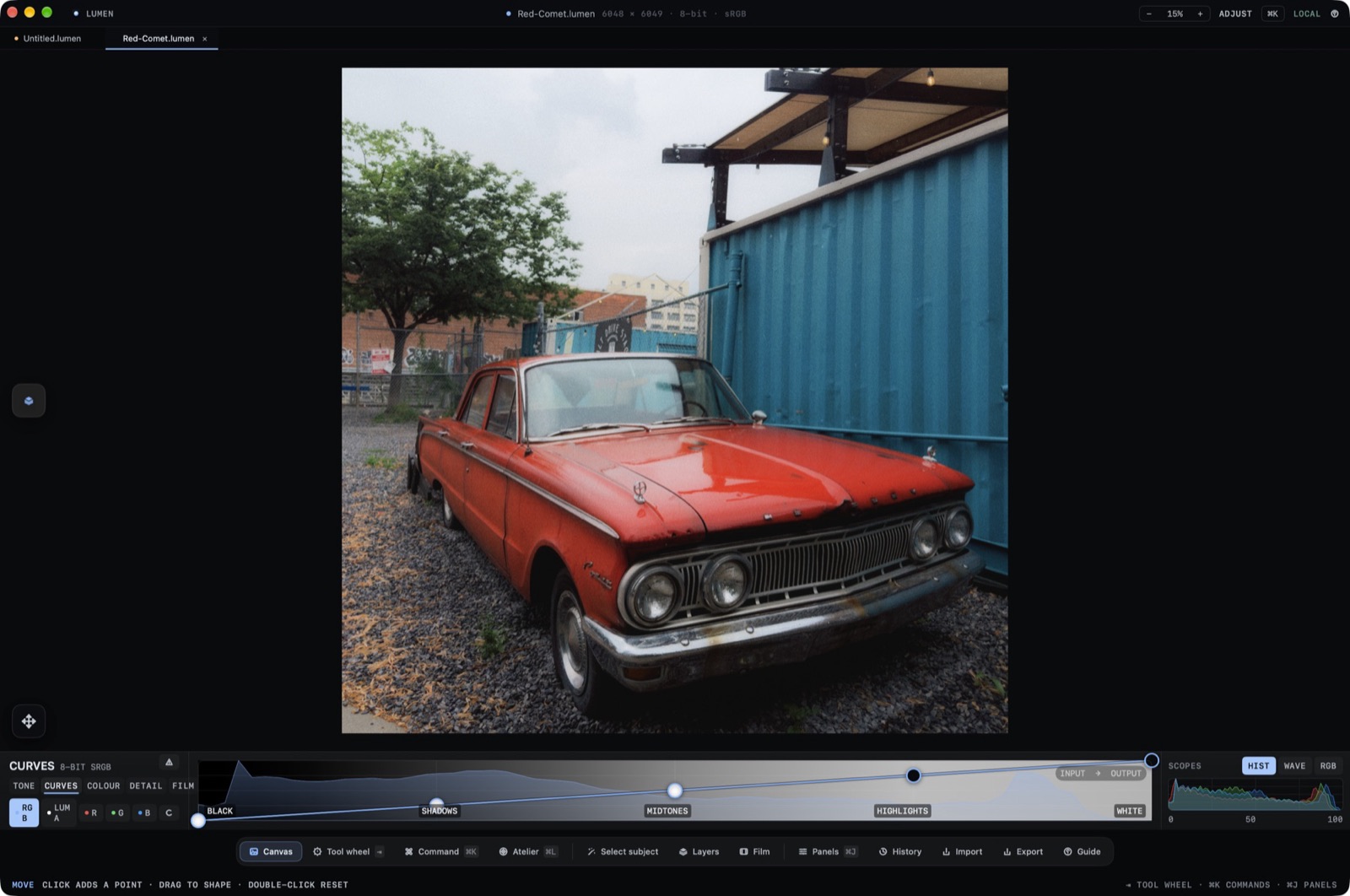
Tone on one curve
Black, shadows, midtones, highlights, and white sit as handles on a single ribbon, with Curves, Colour, and Detail one tab away.
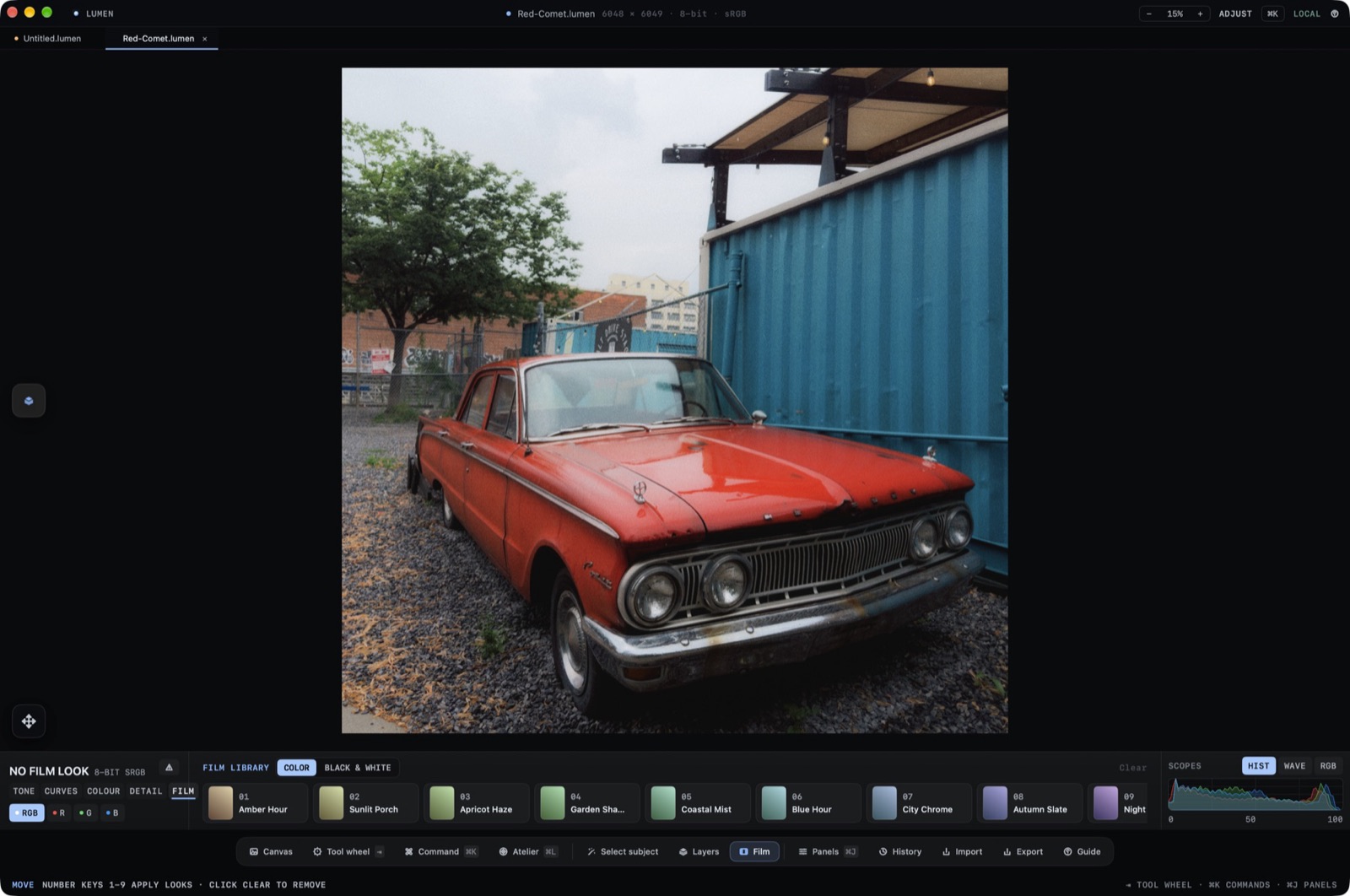
Film looks with a number key
Colour and black-and-white looks apply with the keys 1 to 9, and Clear takes them off again. Import your own LUTs beside them.
Layers, masks, and a tool wheel
Stack reversible layers, find the subject with a local Vision mask, and reach every tool from the wheel with a single key.
Atelier, a colouring studio
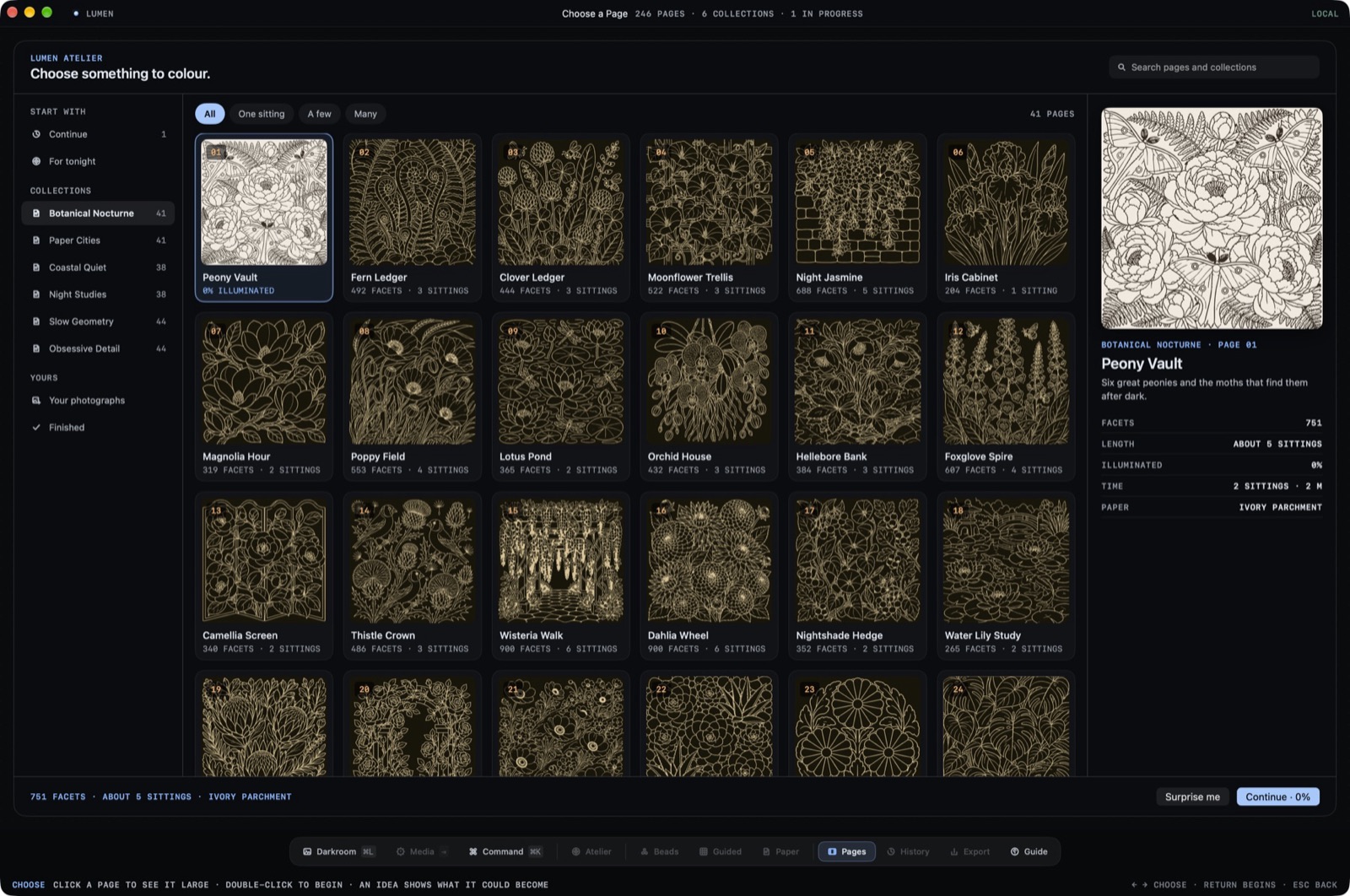
Choose a page from the collections and colour it with the same calm tools, one sitting at a time.
- Price
- $19.99, paid once
- Runs on
- iOS, iPadOS, macOS, iPhone Duo
- Requirements
- macOS, iPadOS, iOS, and iPhone Duo. Edits stay on your device.
- Latest release
- 1.1.929 September 2026
Bought once. Yours to keep.
No subscription and no account. Questions before or after you buy go to a person at the studio.