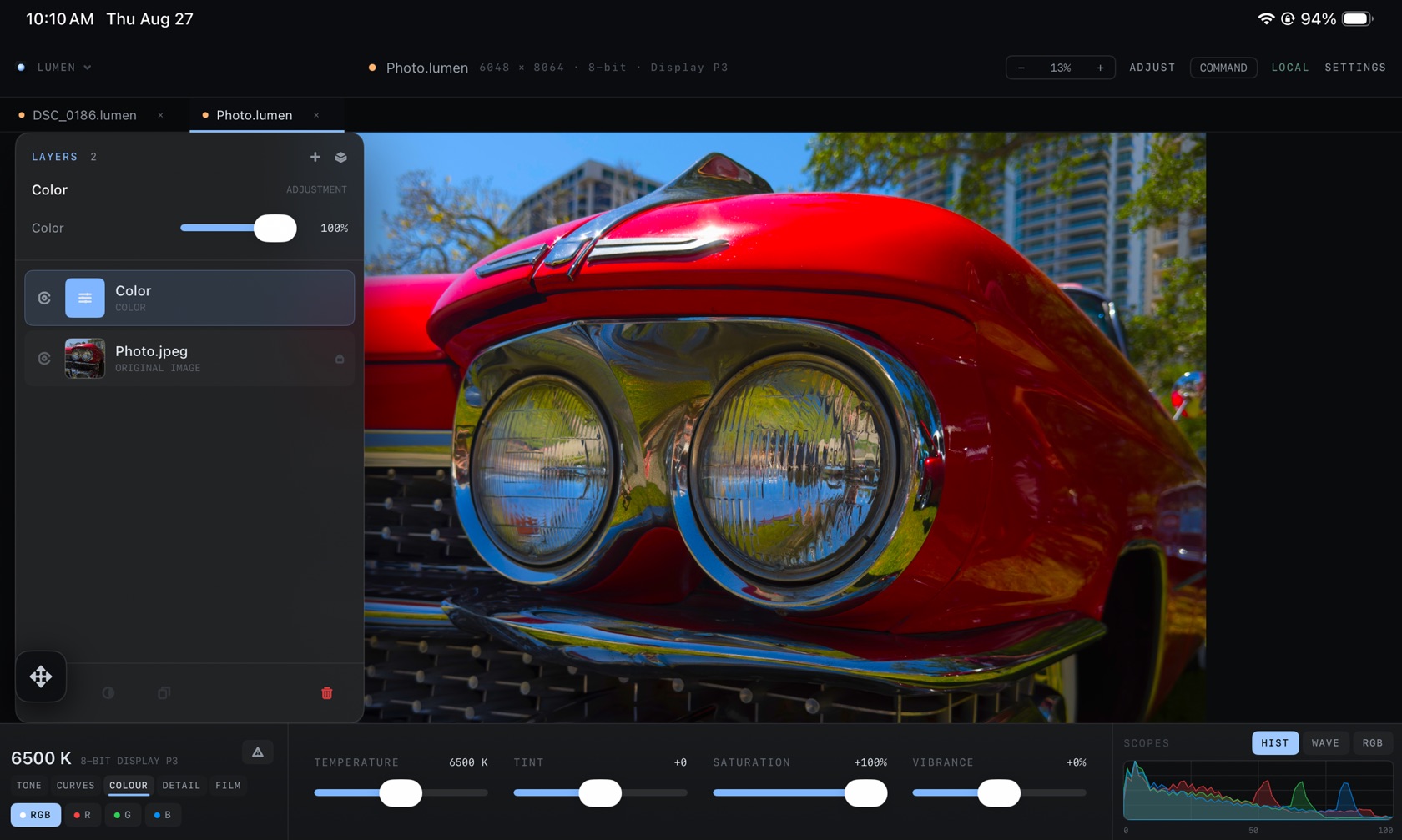
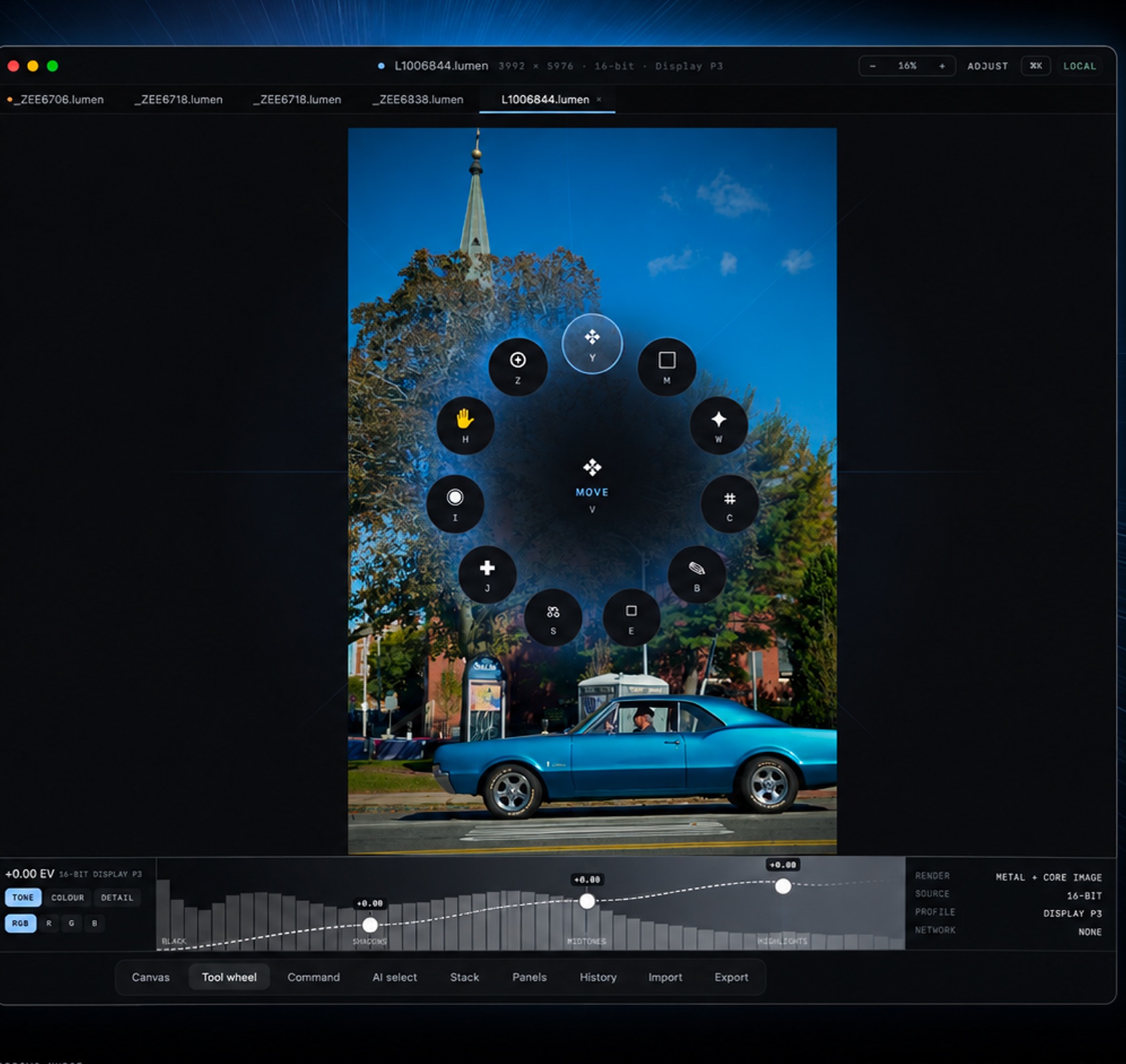
The workspace is one .lumen document. The title bar names the file, the pixel size, the bit depth, and the color space. The dock along the bottom is how you move.
The Surface Bar
- Document tabs
- One tab per open
.lumenfile. The active tab is underlined. - Title readout
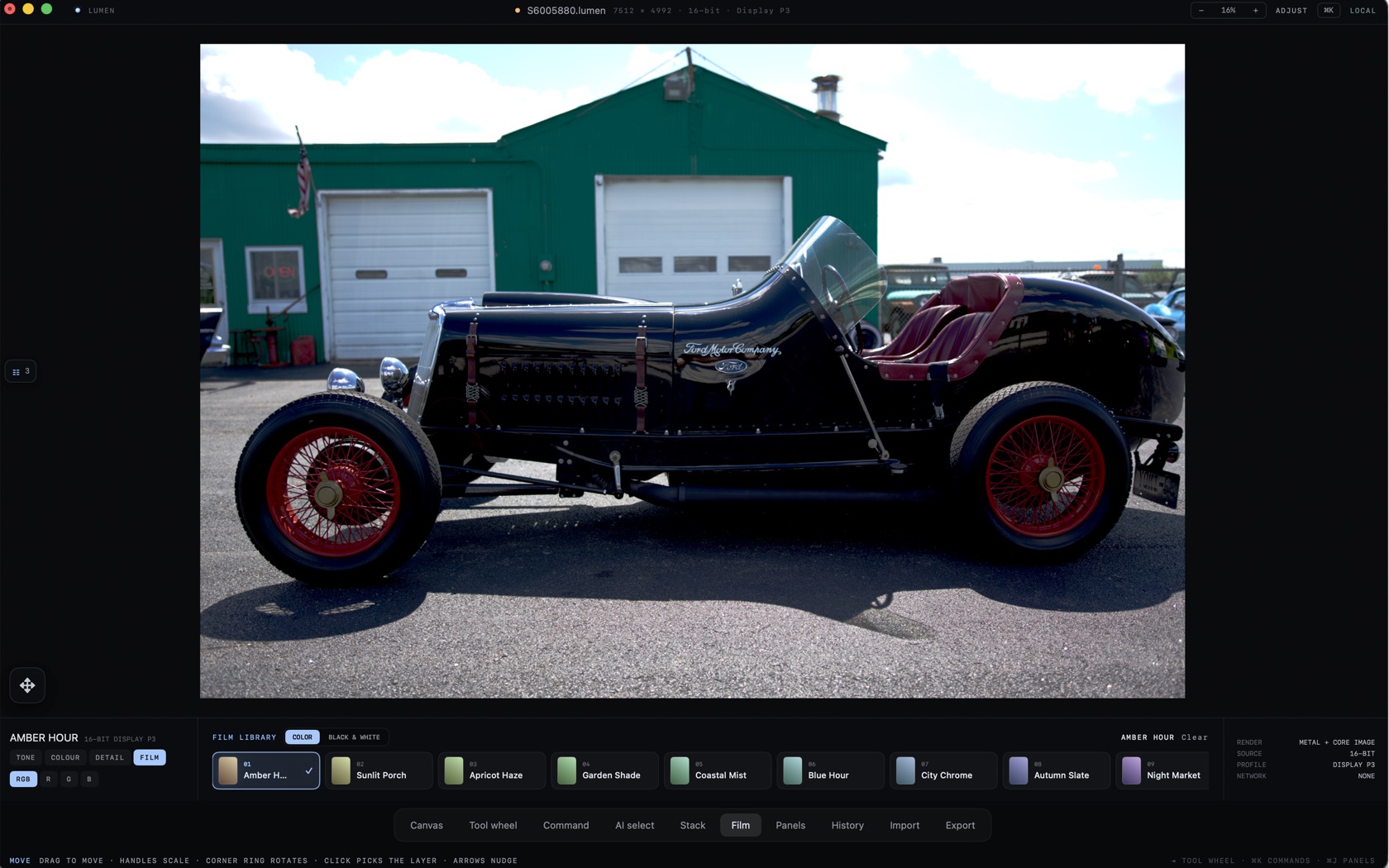
- Filename, pixel size, bit depth (8-bit or 16-bit, whichever the file is), and Display P3 or Embedded RGB.
- Zoom
- Minus, a percent, plus. The wheel’s Z wedge is zoom. H is the hand.
- ADJUST / LOCAL
- Modes on the right of the title bar. On iPad the same bar also shows COMMAND and SETTINGS.
- Dock
- Canvas, Tool wheel, Command, AI select, Stack, Film, Panels, History, Import, Export.
The Canvas Viewport
The photograph fills the center. Edits sit in the ribbon and in the layer stack. The original stays the bottom row of Layers, labeled original image.
Hold Space to open the tool wheel on the canvas. The center wedge is MOVE, lettered V.
Lower Adjustment Ribbon
The groups are TONE, CURVES, COLOUR, DETAIL, and FILM.
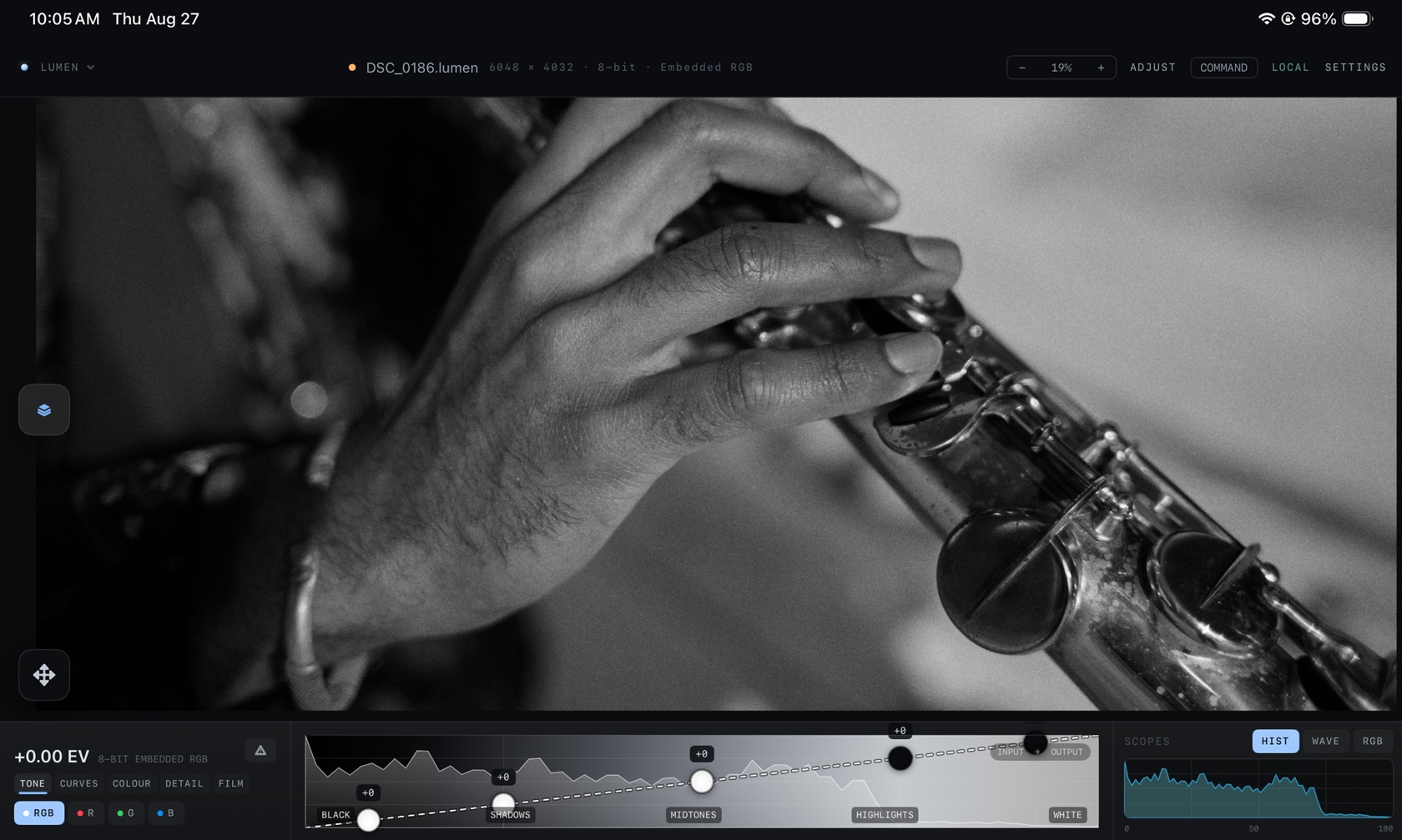
- TONE. BLACK, SHADOWS, MIDTONES, HIGHLIGHTS. Exposure reads in EV at the left, next to the bit depth and profile.
- CURVES. The same graph, with WHITE at the right end. Channels are RGB, R, G, and B.
- COLOUR. TEMPERATURE, TINT, SATURATION, VIBRANCE.
- DETAIL. The group beside COLOUR.
- FILM. COLOR and BLACK & WHITE. The colour shelf includes Amber Hour, Sunlit Porch, Apricot Haze, Garden Shade, Coastal Mist, Blue Hour, City Chrome, Autumn Slate, and Night Market. Clear removes the look.
- SCOPES. HIST, WAVE, RGB.
Radial Tool Wheel
Hold Space , or press Tool wheel on the dock. MOVE (V) is the center. The ring is Z, Y, M, H, W, I, C, J, S, E, and B. H is the hand, Z is zoom, C is crop, B is the brush.
The Layer Stack
Stack on the dock opens Layers. An adjustment such as Color sits above the source file at an opacity percent. The source row is marked ORIGINAL IMAGE. Turning the adjustment off leaves that file as it was opened.