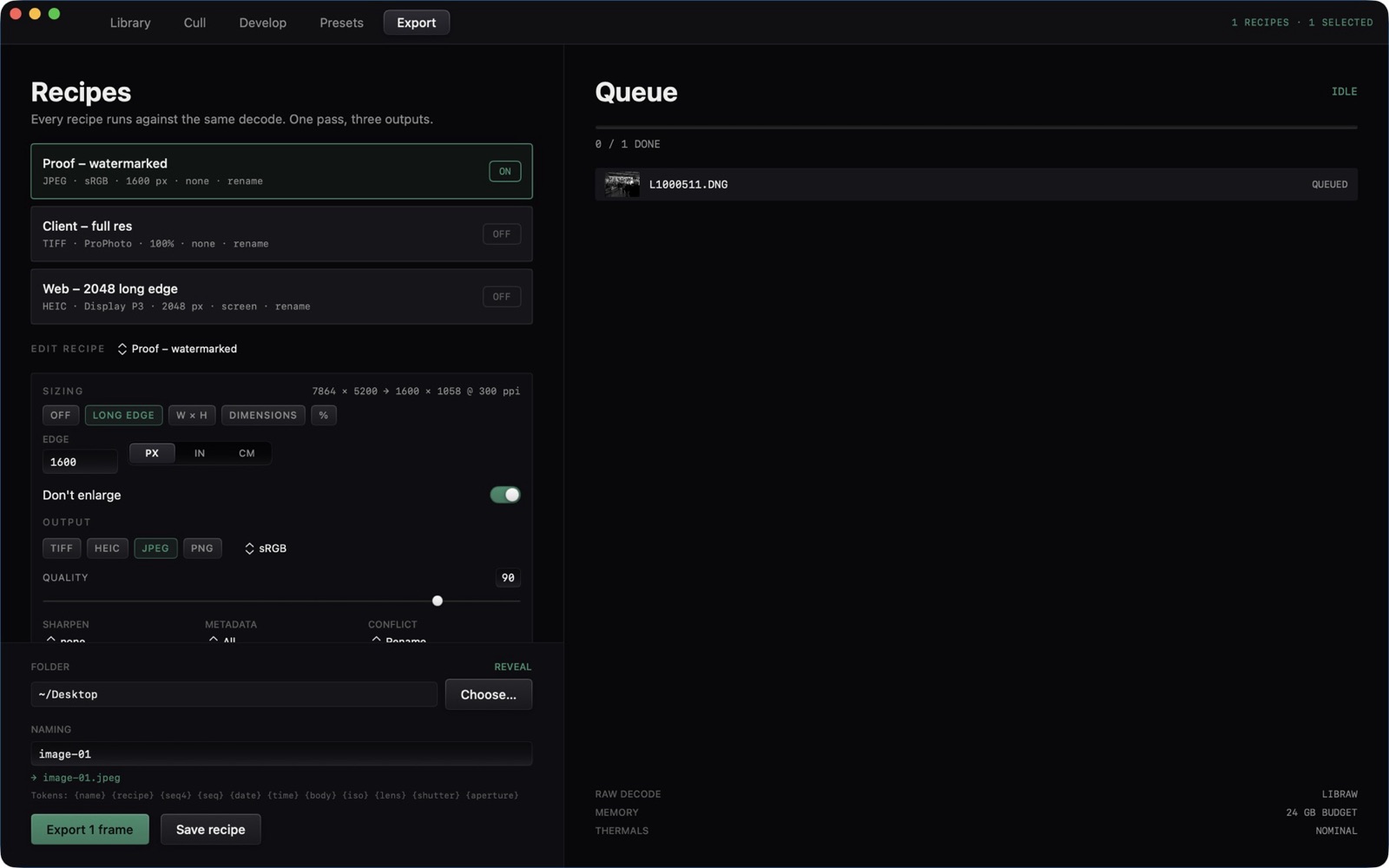
The window switcher is Library, Cull, Develop, Presets, and Export. Develop then opens its own row of panes.
The Five Modules
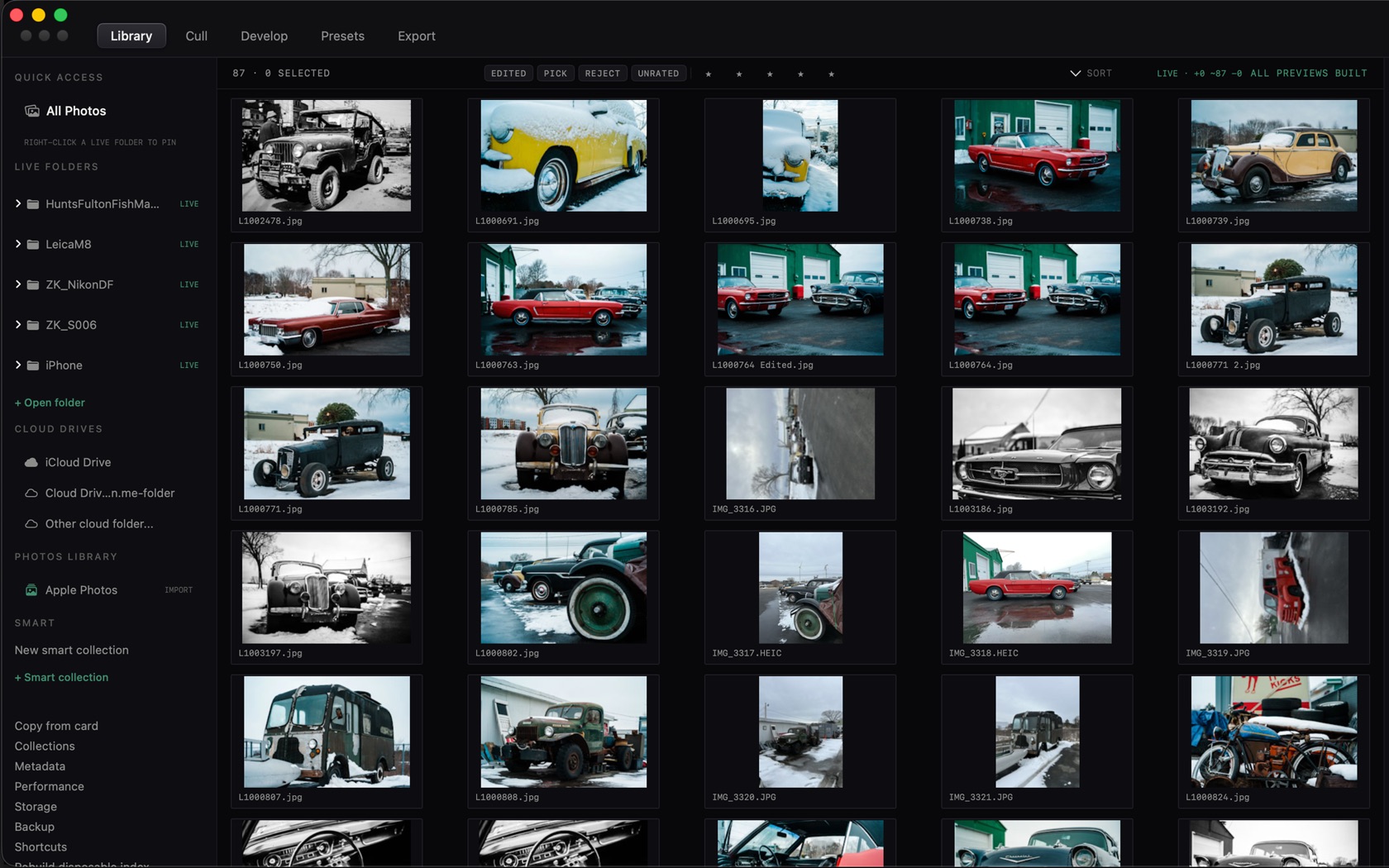
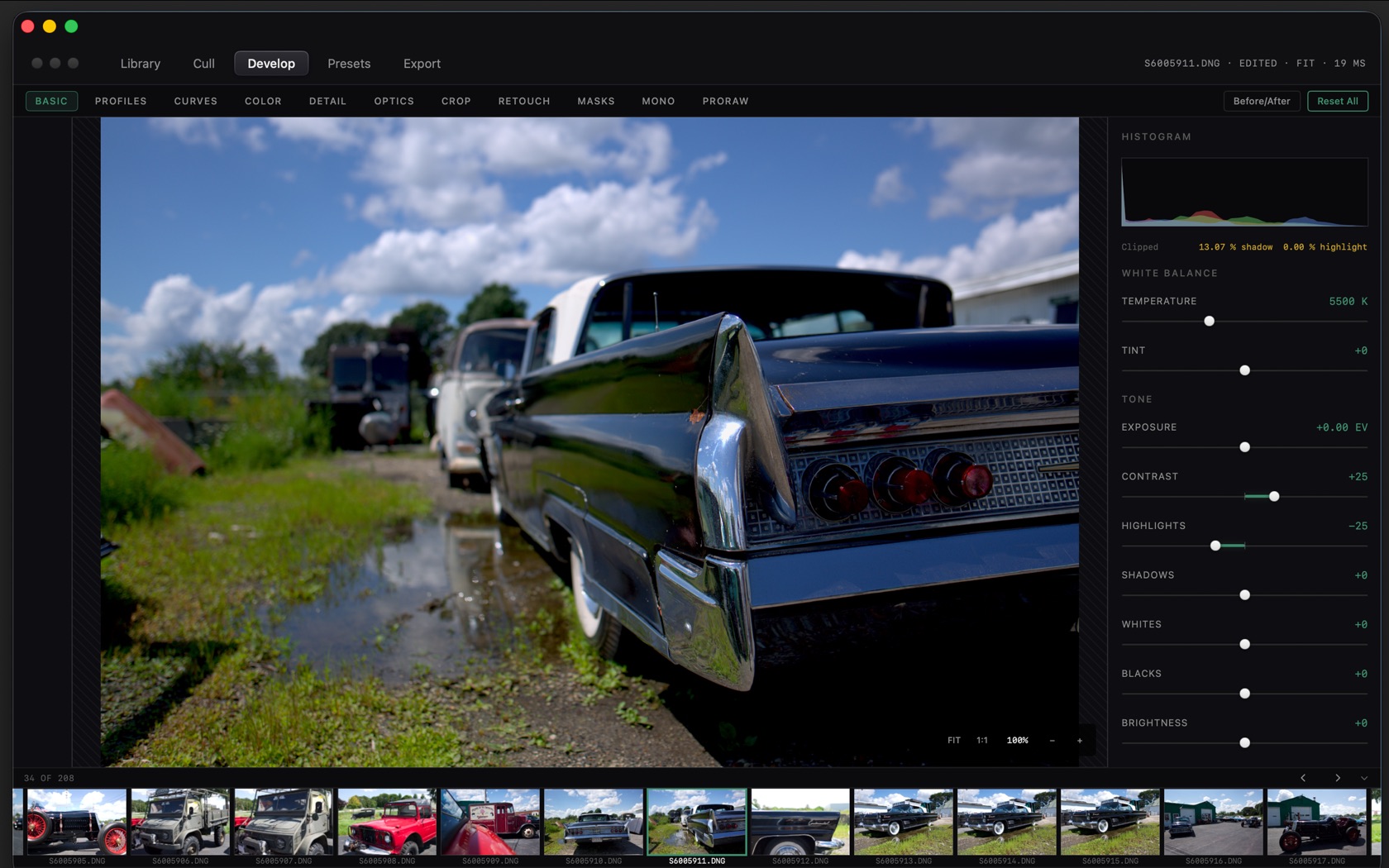
The five names sit in the toolbar. Library is the grid. Cull is the two-up compare. Develop is the loupe and the inspector. Presets is its own module. Export is Recipes and Queue.
Library
The left column is Quick Access, Live Folders, Cloud Drives, Photos Library, and Smart collections. The grid shows the folder you have open. The status line reads LIVE, the frame count, and ALL PREVIEWS BUILT once thumbnails are ready.
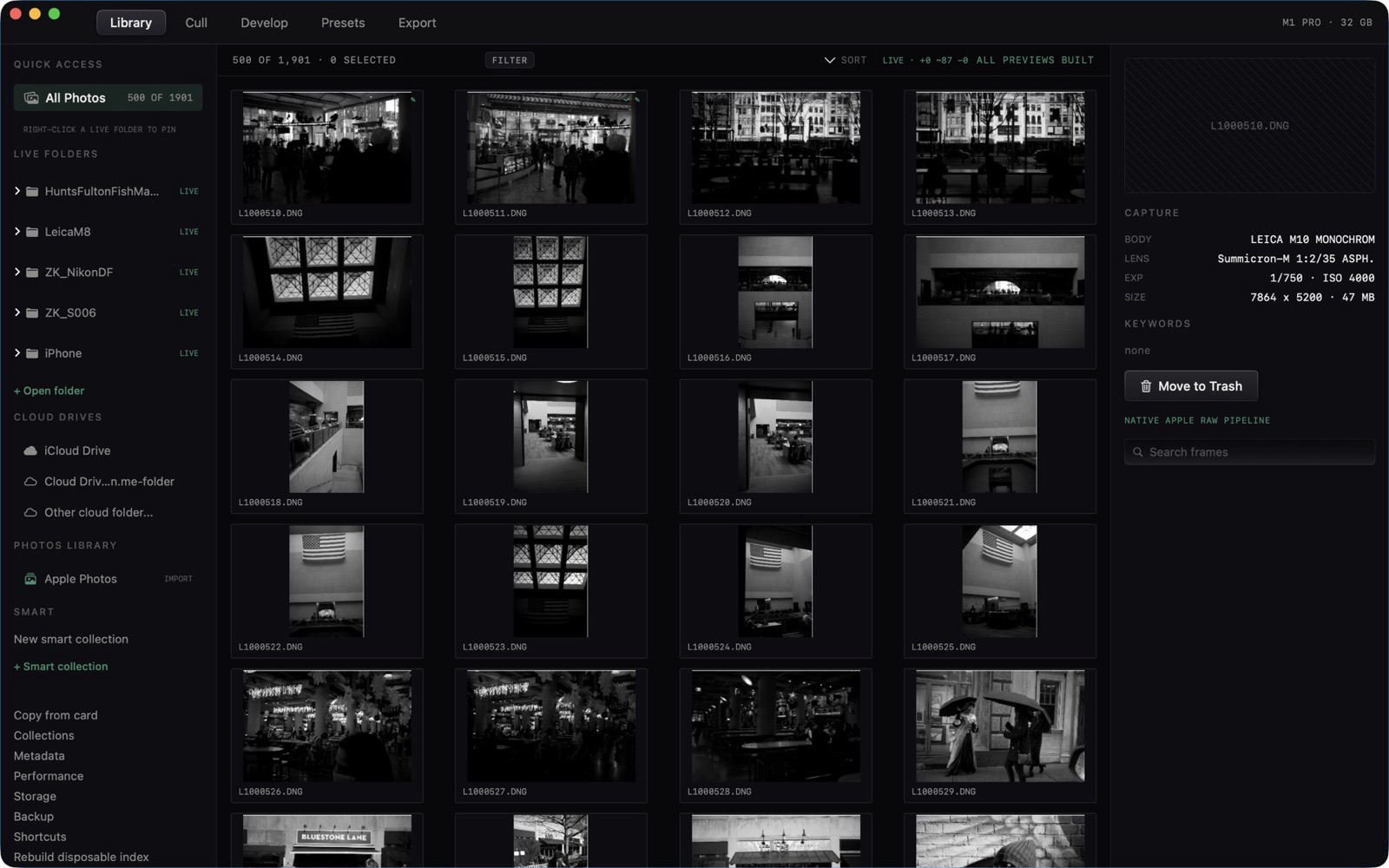
- All Photos
- The unscoped grid. Right-click a live folder to pin it.
- Live Folders
- Each mounted folder is marked LIVE. Open folder adds another.
- Cloud Drives
- iCloud Drive and other cloud mounts appear under their own heading.
- Apple Photos
- Import sits on the Photos Library row.
- Filters
- EDITED, PICK, REJECT, UNRATED, and the star row. SORT is on the right of that bar.
Cull
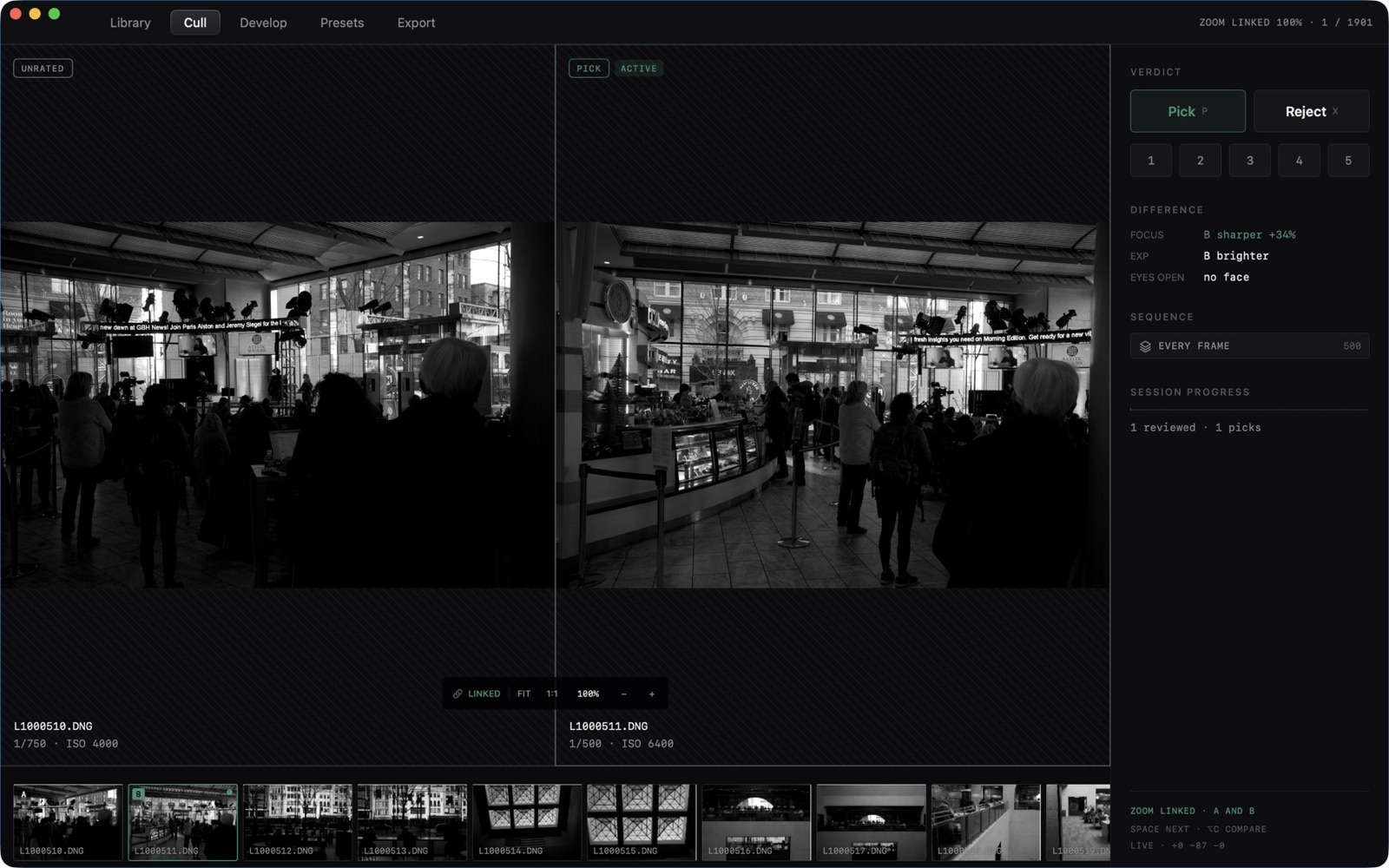
Two frames sit side by side. The header reads ZOOM LINKED when both loupes share magnification. Pick is P. Reject is X. Stars are 1 through 5.
Develop
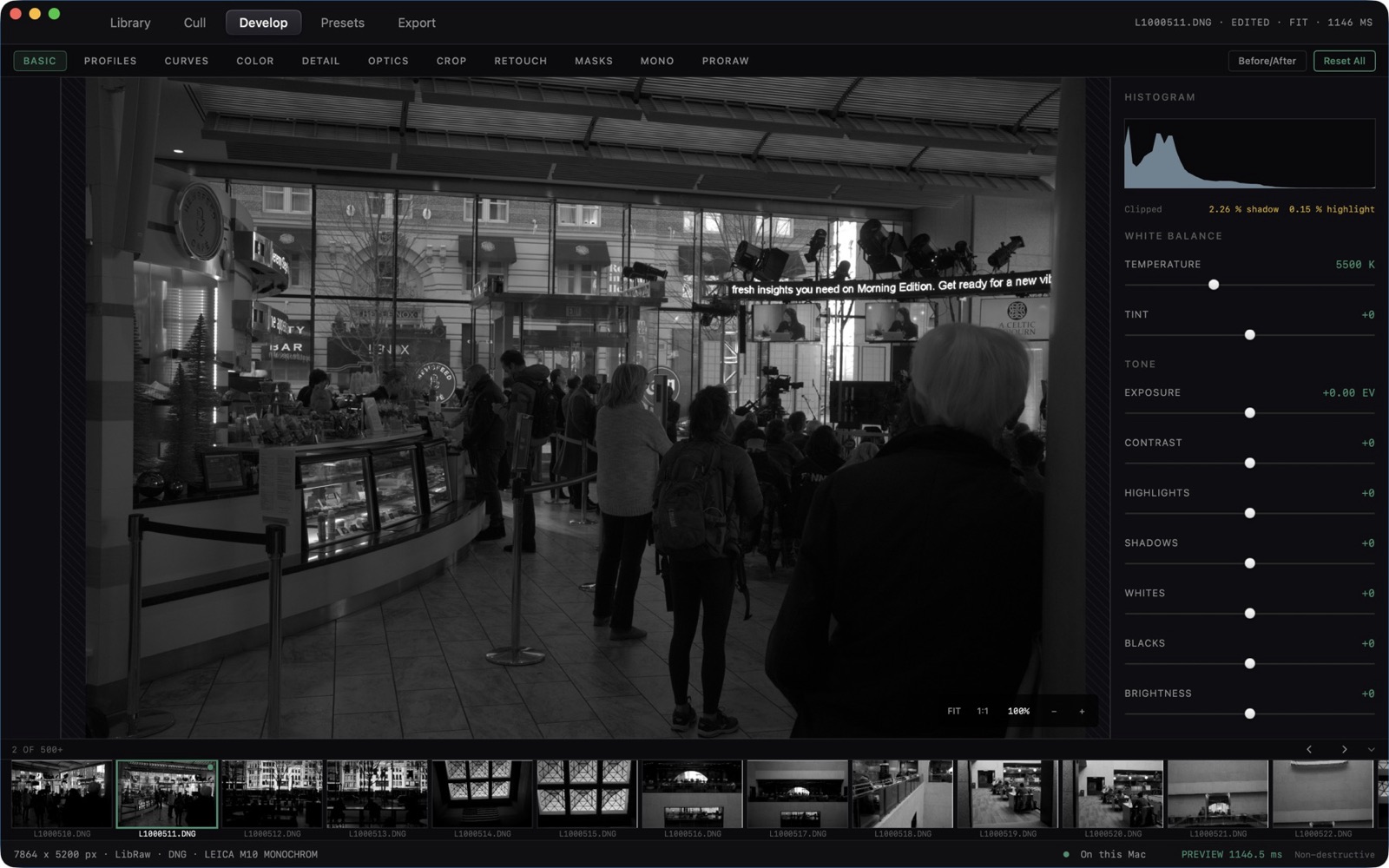
The pane row is BASIC, PROFILES, CURVES, COLOR, DETAIL, OPTICS, CROP, RETOUCH, MASKS, MONO, and PRORAW. Before/After and Reset All sit above the inspector. The loupe toggles FIT and 1:1.
Presets
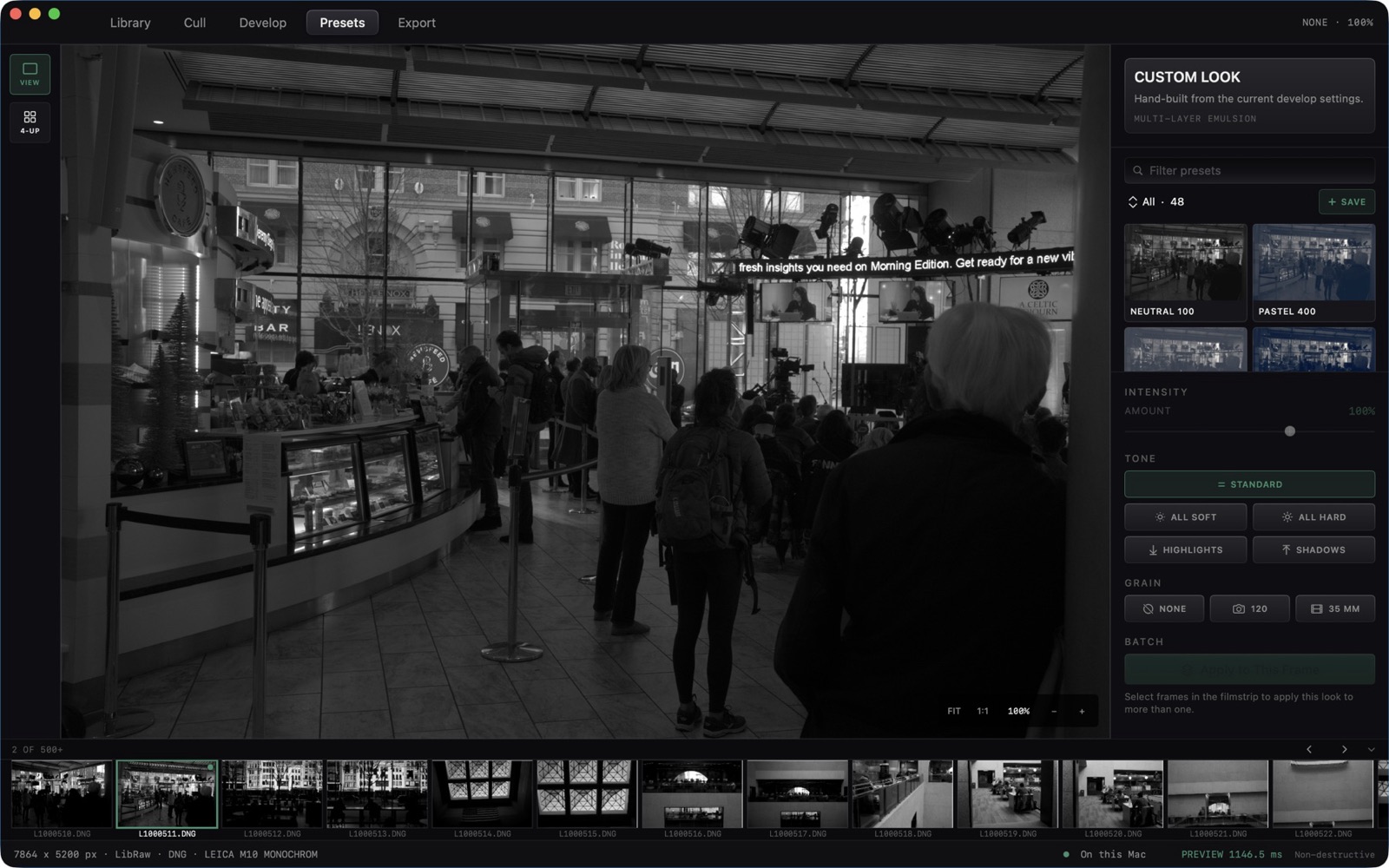
Presets sits between Develop and Export. The loupe tools are VIEW and 4-UP. The inspector is INTENSITY (Amount), TONE (Standard, All Soft, All Hard, Highlights, Shadows), GRAIN (None, 120, 35 mm), and BATCH (Apply to This Frame, or Apply to N Frames). A look's menu has Apply to Selection and Send to Compare Slot.
Export
Recipes on the left, Queue on the right. The line under Recipes is: every recipe runs against the same decode. One pass, three outputs.