
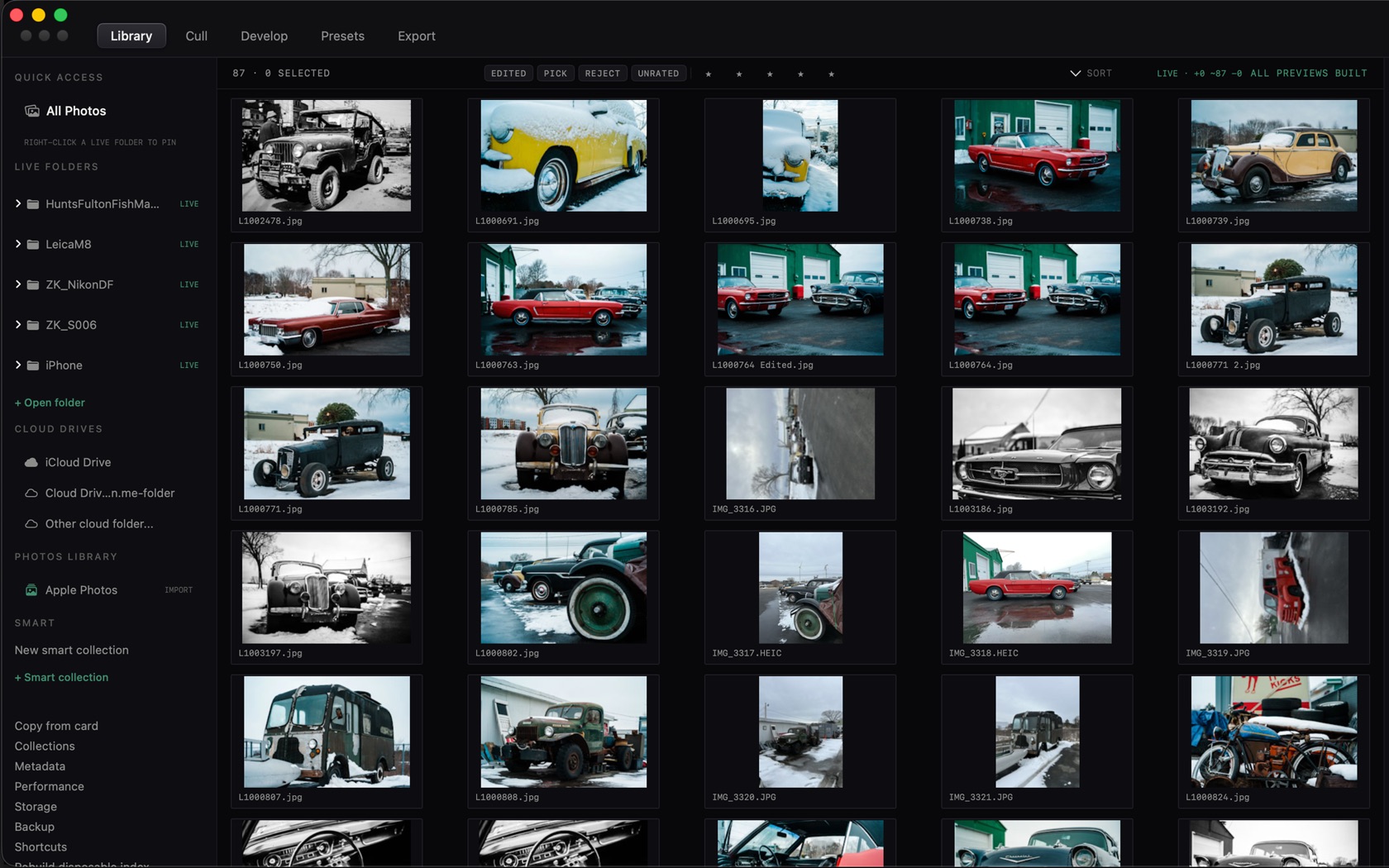
Live Folders are the heart of CaptureMood. Point at any folder, and CaptureMood watches it with macOS FSEvents, automatically synchronizing Finder renames, additions, and deletions.
Opening Live Folders
Open folder, or ⌘O, adds a live folder. The sidebar row is labeled + Open folder. Right-click a live folder to pin it.
Subfolders are indexed recursively and appear in the sidebar tree. Selecting any subfolder scopes the grid instantly without a slow re-scan.
Cloud Storage Mounts
iCloud Drive, Google Drive, Dropbox, OneDrive, and Box mount natively under ~/Library/CloudStorage. CaptureMood coordinates file reads to materialize cloud placeholders before processing, preventing UI freezes during network downloads.
Importing from Apple Photos
Browse your Apple Photos library directly through high-performance PHCachingImageManager thumbnails. When you select frames to import, CaptureMood extracts the untouched camera RAW original (never the baked JPEG) into a chosen local live folder.