
PROFILES reads the camera from the file and offers a response curve on top of the unprocessed baseline. MONO is a separate pane for channel mix and grain. Edits are written beside the file as a .s612 sidecar.
Camera Profiles
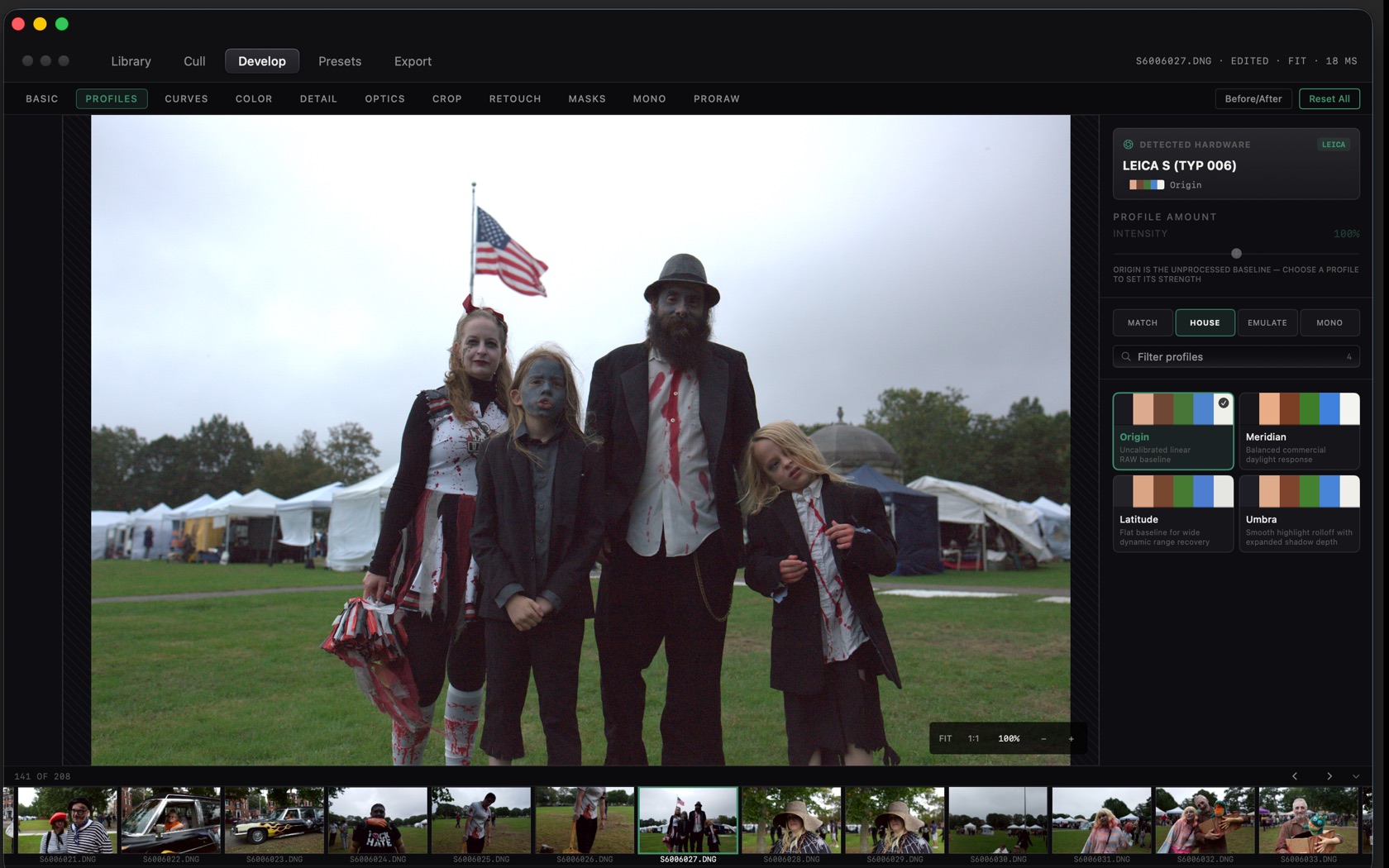
The pane header is DETECTED HARDWARE. A Leica S (Typ 006) file, for example, shows that body name and the active profile under it.
- Origin
- Unprocessed linear RAW baseline. The note on the pane: Origin is the unprocessed baseline. Choose a profile to set its strength.
- Meridian
- Balanced commercial daylight response.
- Latitude
- Flat baseline for wide dynamic range recovery.
- Umbra
- Smooth highlight rolloff with expanded shadow depth.
Profile Amount & Filters
PROFILE AMOUNT / INTENSITY runs from the baseline to full strength. The filter row is MATCH, HOUSE, EMULATE, and MONO, with a search field under it labeled Filter profiles.
Mono
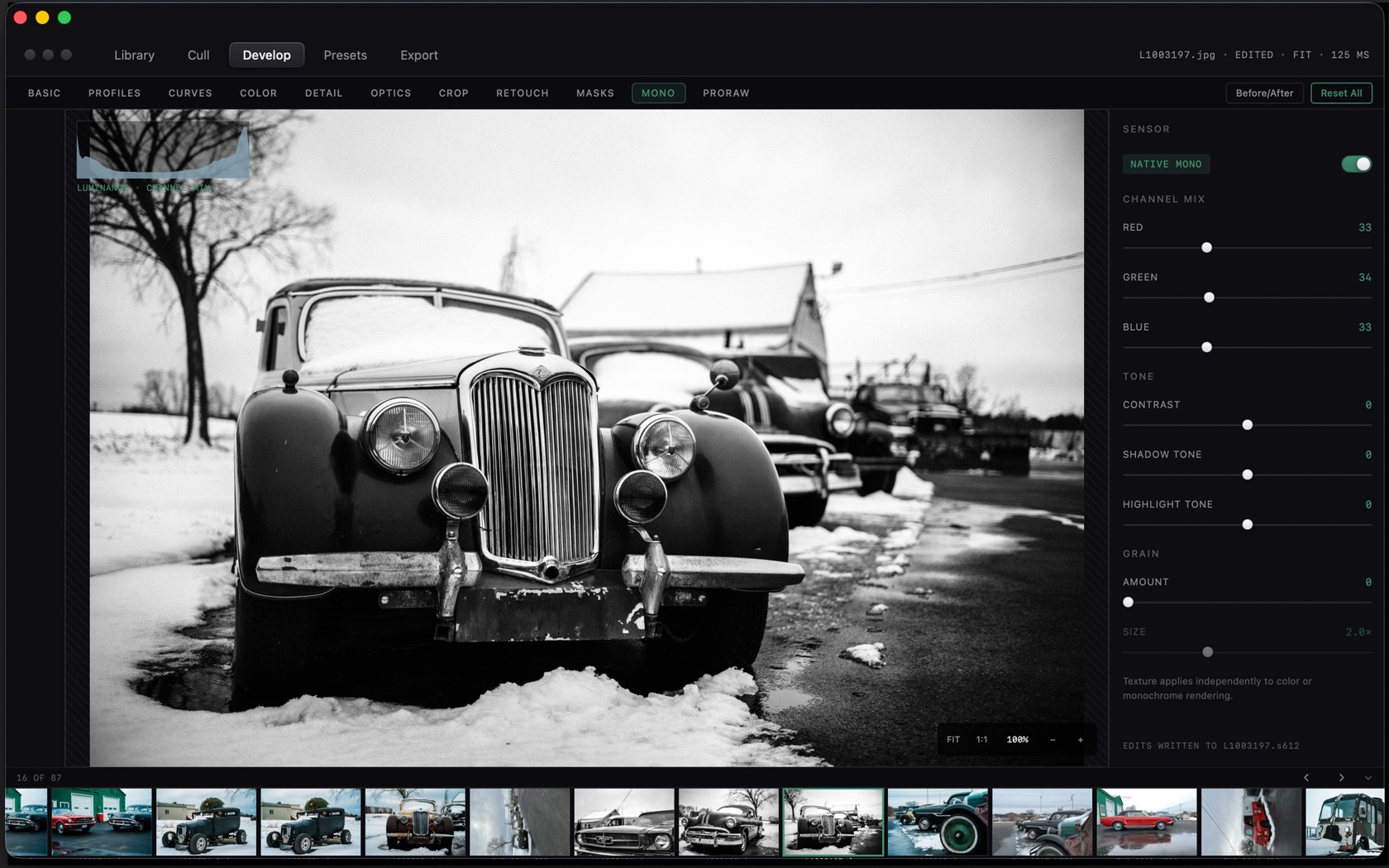
MONO is its own develop pane. The loupe carries a luminance overlay. The footer of the window states where the grade was written, for example EDITS WRITTEN TO L10083197.s612.
- Native Mono
- The toggle at the top of the pane.
- Channel mix
- RED, GREEN, and BLUE weights.
- Tone
- Contrast, shadow tone, and highlight tone.
- Grain
- AMOUNT and SIZE. The pane notes that texture applies independently to color or monochrome rendering.