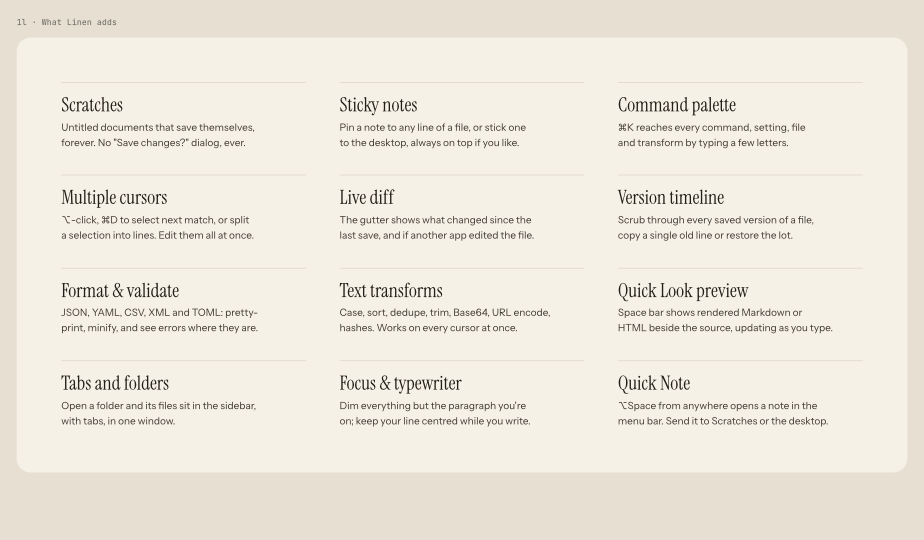
Linen's interface is designed around calm materials, fine typography, and zero clutter. Every panel and status element exists to inform rather than distract.
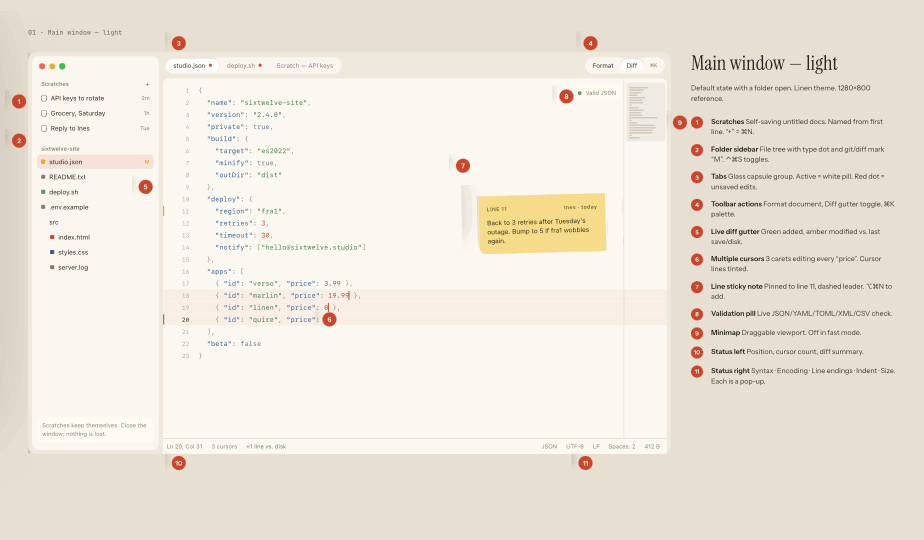
The Unified Window Shell
The top bar features unified tab strips that support reordering, split panes, and instant tab creation with Command-T.
Light and dark themes adapt smoothly to your macOS system appearance, using warm paper-tinted neutrals that prevent eye strain during long typing sessions.
The Focused Editor Canvas
The central editor canvas renders clean typographic margins, smooth line numbering, and optional code folding.
Typewriter scrolling keeps your active cursor line centered vertically on the screen, letting you maintain momentum without adjusting window positions.
Status Bar & Language Readout
The compact status bar displays active line and column coordinates, current character encoding (UTF-8 by default), line ending conventions (LF/CRLF), indentation settings, and recognized programming language grammar.