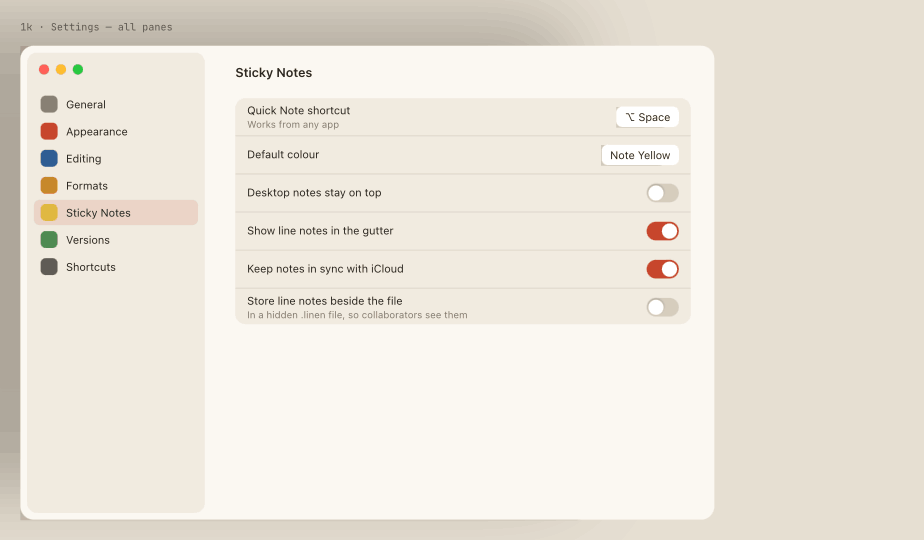
Linen introduces Anchored Sticky Notes: tactile reminders and architectural annotations that attach directly to lines in your code or float on your desktop.
Anchoring Notes to Line Numbers
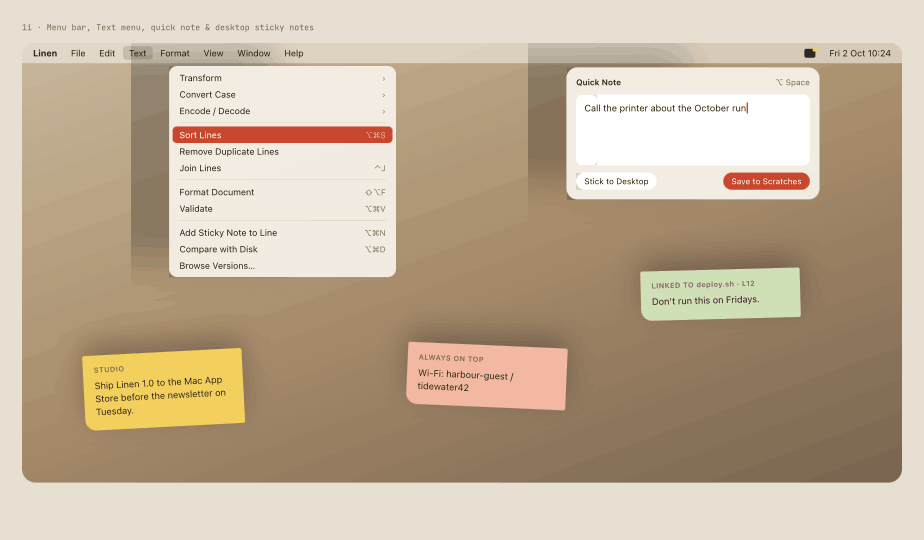
Right-click any line number or press Option-Command-N to attach a Sticky Note. Notes attach to code tokens rather than static line indices, so they track with insertions, deletions, and refactors.
Notes do not modify your source code with ugly comment tags. They live in a companion sidecar cache, visible only when you open the file in Linen.
Floating Desktop Stickies
Tear off any sticky note to let it float above your workspace or rest on your desktop. Floating stickies provide quick glanceable notes while you switch between terminal windows and browsers.
Note Colors & Tags
Choose between classic warm yellow, sage green, sky blue, rose, and charcoal palettes. Color code notes by priority, bug reports, architectural decisions, or temporary checklists.