 About Linen Editor
Linen Editor
The zero-prompt workbench for daily text and code. Scratches auto-save, sticky notes anchor to lines, and Command-K keeps every tool a keystroke away.
- No save dialogs for scratches
- Sticky notes anchored to lines
- Live split preview & diff
- Free for Mac
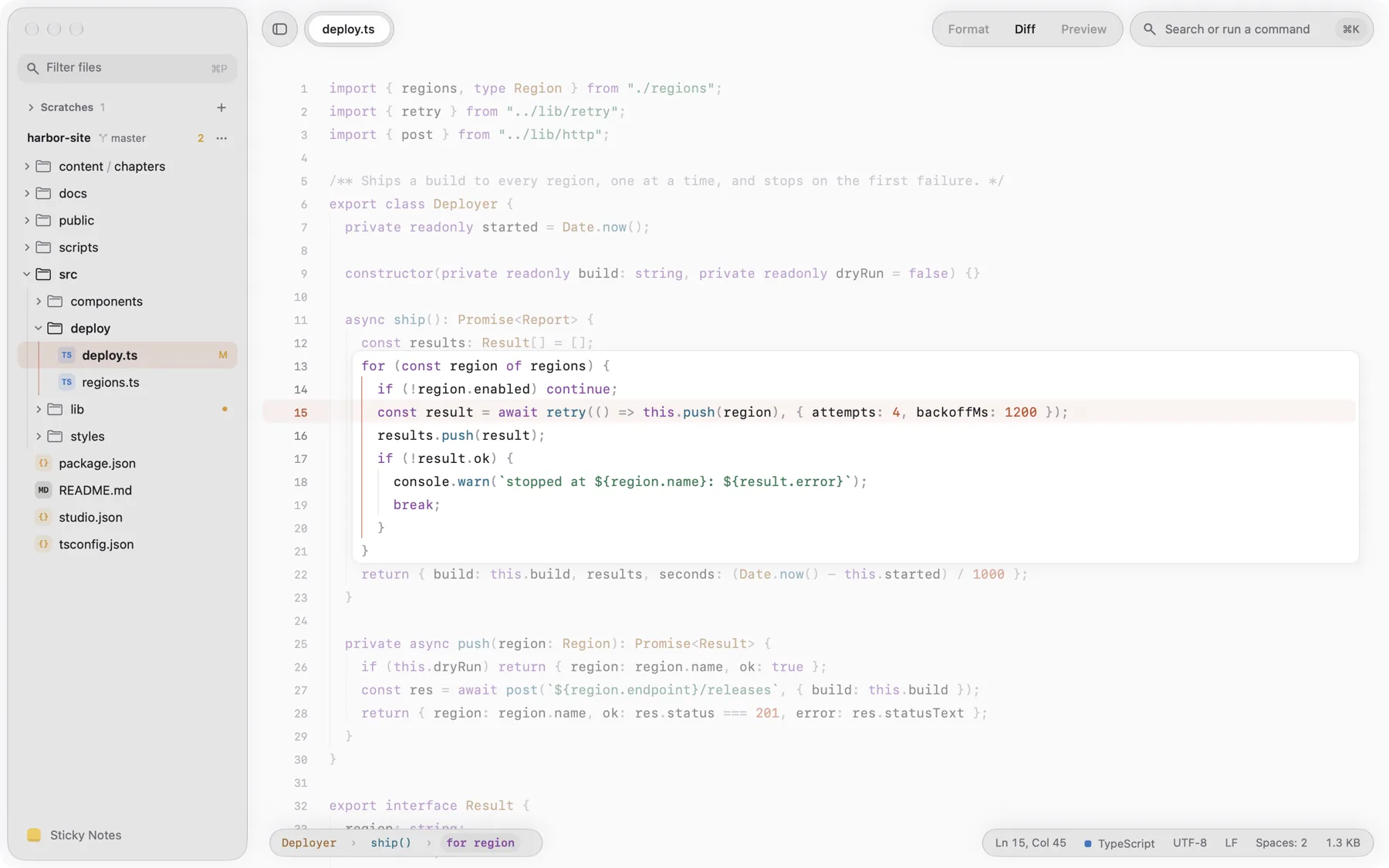
Where Marlin Developer's Bench is built to stream multi-gigabyte server logs and hex files, roono crafts book manuscripts, and Verso manages Markdown libraries, Linen Editor is your daily lightweight text workbench. Untitled scratches save themselves without a save dialog, sticky notes anchor directly to specific lines or float on your desktop, and Command-K gives fast access to split editor panes, live diff, multiple cursors, and rendered Markdown or HTML preview. A native, agile Mac editor that never interrupts your flow. Free to download and use on Mac.
Zero-prompt scratches
Open a scratchpad and type immediately. Linen persists every untitled buffer silently to disk, so you never see a "Save changes?" prompt.
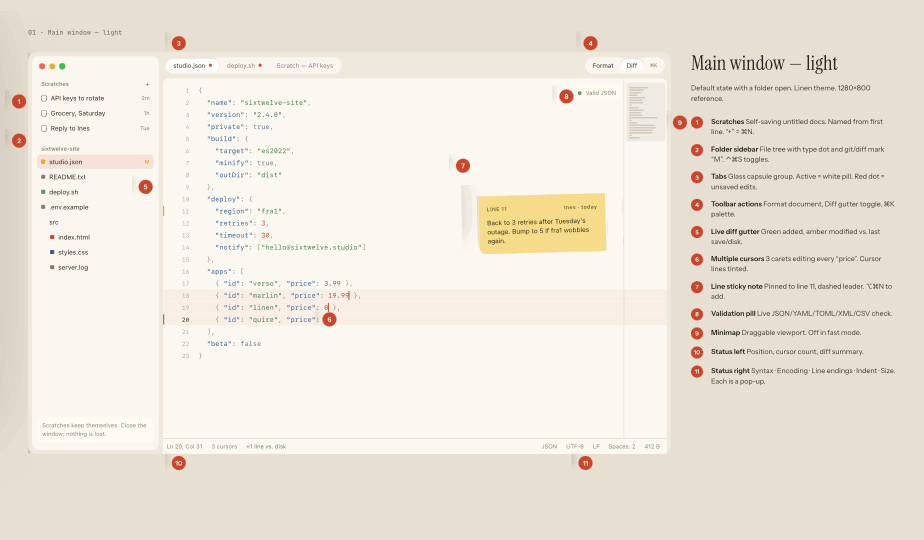
Line-anchored sticky notes
Pin thoughts, todos, or reminders directly to line numbers in your document, or detach them to float as macOS stickies.
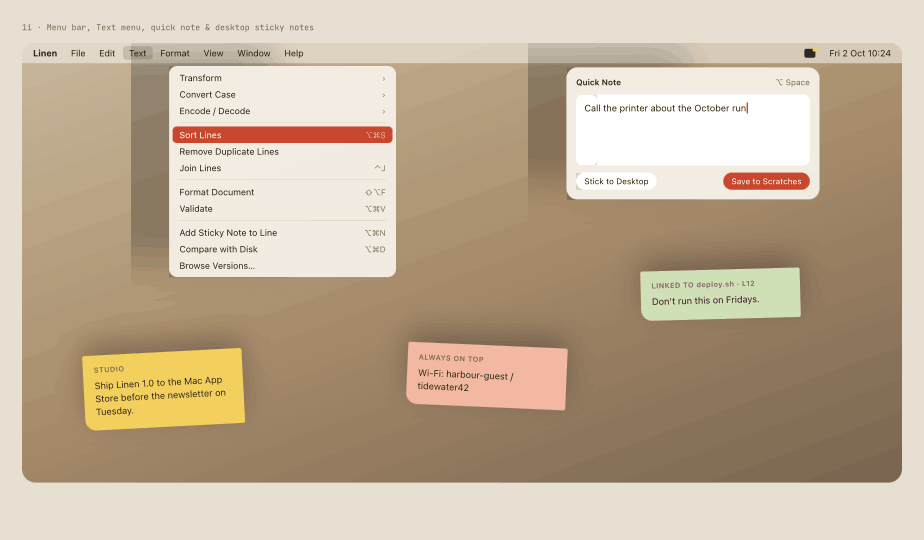
Split previews and live diff
View formatted Markdown and HTML previews side by side with source, or compare working changes against disk copies in real time.
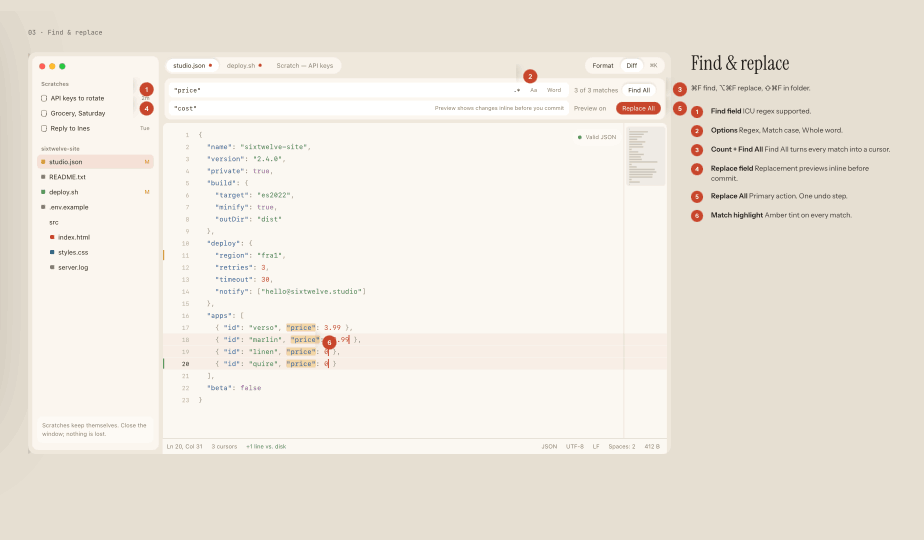
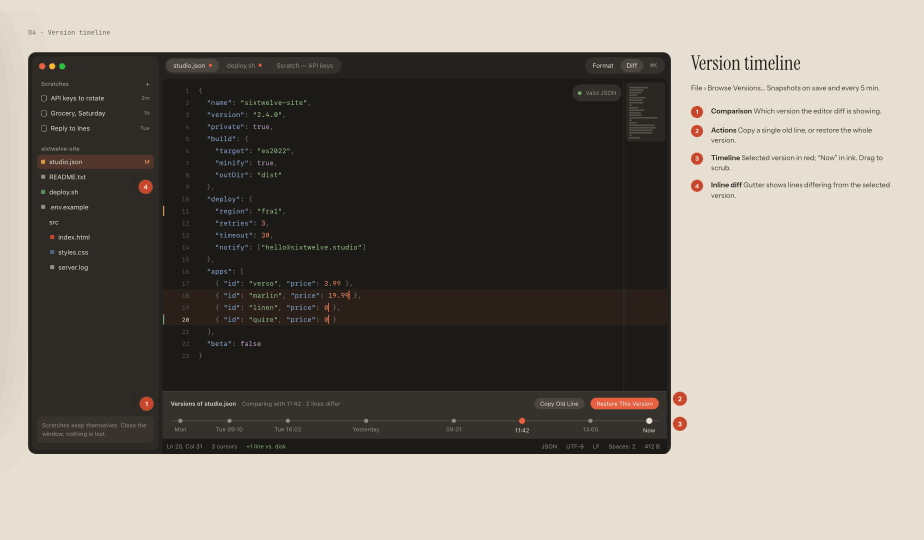
Automatic version snapshots
Linen records document history at natural milestones. Step backward and forward through versions without git overhead.
- Price
- Free
- Runs on
- macOS
- Requirements
- macOS 14 or newer. Free on the Mac App Store and direct download.
- Latest release
- 1.0.0October 2026
Bought once. Yours to keep.
No subscription and no account. Questions before or after you buy go to a person at the studio.